- $USD
- English (United States)
- Hire an Expert
- Get Support




Also Sold on

Export and Archive Old Order
Keep your WooCommerce store fast by archiving old orders automatically based on status, age, and order value. As your store grows, completed, cancelled, and failed orders pile up in your active order table, slowing down admin screens, reports, and backups. Export and Archive Old Orders for WooCommerce clears them out on a schedule you set, then exports the data as CSV, XML, or JSON, all while k...
Details & Compatibility
Version
1.0.1
Last Update
August 27, 2026
Compatibility
WooCommerce version 2.6.0 or higher | Wordpress version 4.6 or higher
Support
Whats Include
- Quality checked by Extendons
- Future updates
$0.00
Customize this Plugin
CustomizePowerful Features!
This WooCommerce archive orders plugin moves eligible orders out of your active order table automatically, based on rules you control. Set timing by status or order value, back up orders before deletion, and export archived data anytime for reporting.

Scheduled Archiving
Status & Value Rules
Manual Include/Exclude
Backup Before Deletion

CSV, XML, JSON Export

My Account Access
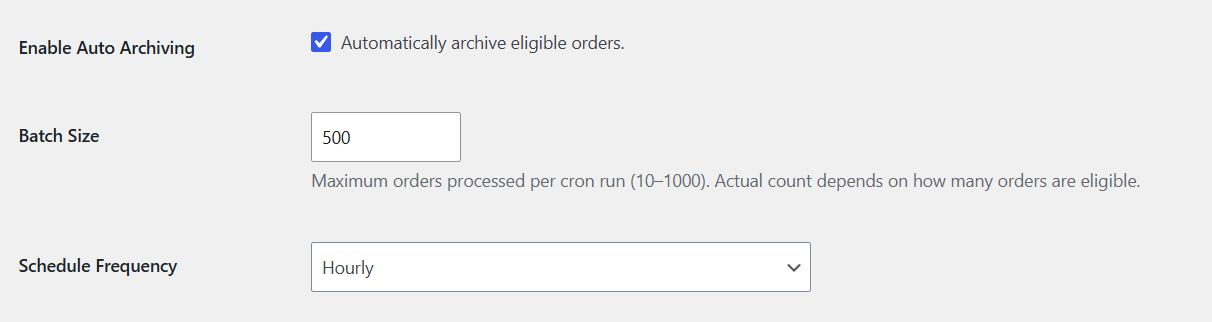
Schedule Automatic Order Archiving
Turn on the auto archive orders feature and let the plugin move eligible orders out of your active list automatically. Set a batch size between 10 and 1000 orders per run, and choose a cron frequency from hourly to less frequent, based on your store's order volume.
Order Status Archive Timing
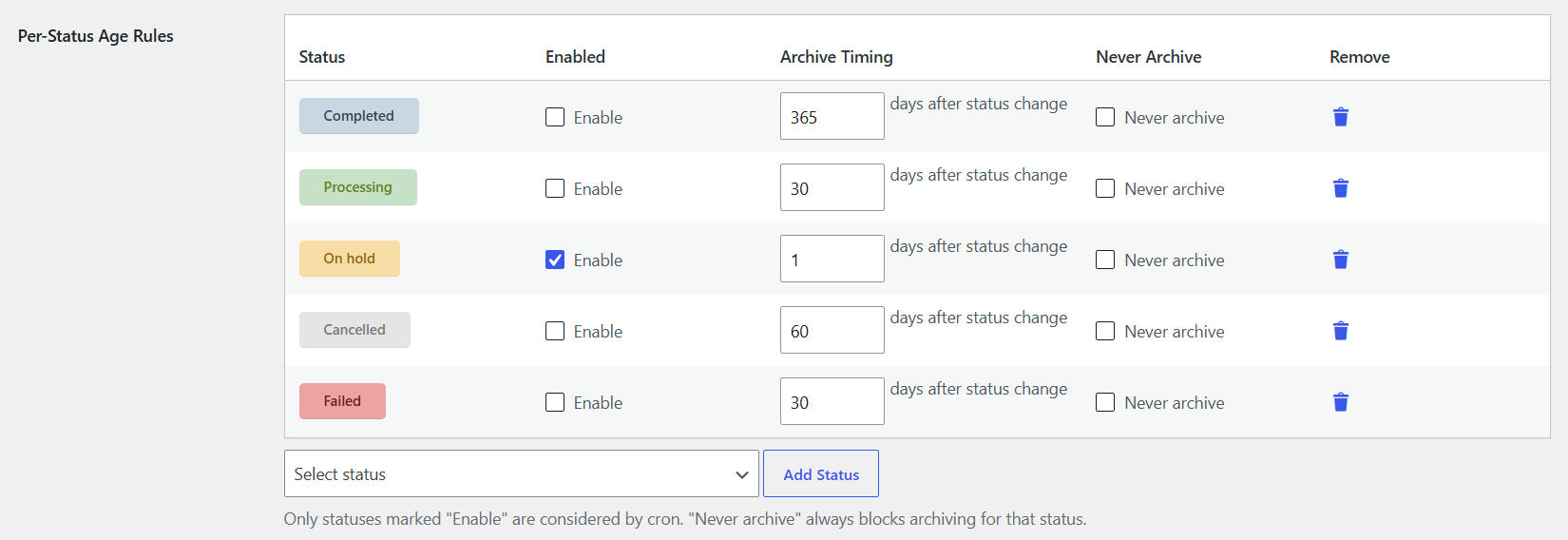
WooCommerce order archiving plugin lets you decide how long each order status stays active before archiving. Enable a status, set the number of days after the status change, or mark it "Never archive" to keep it permanently excluded. Add or remove custom statuses anytime.
Value-Based Archiving Tiers
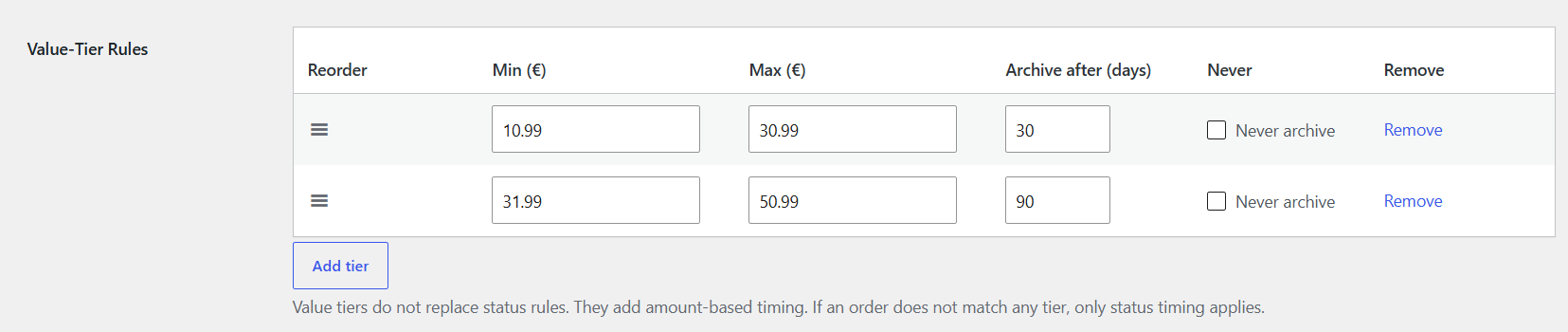
Set archive timing by order amount, not just status. Define a minimum and maximum range for each tier with its own delay, and protect high-value orders with a "Never archive" tier. If no tier matches, standard status timing applies, and the longer of the two timings wins.
Manual Order Inclusion and Exclusion
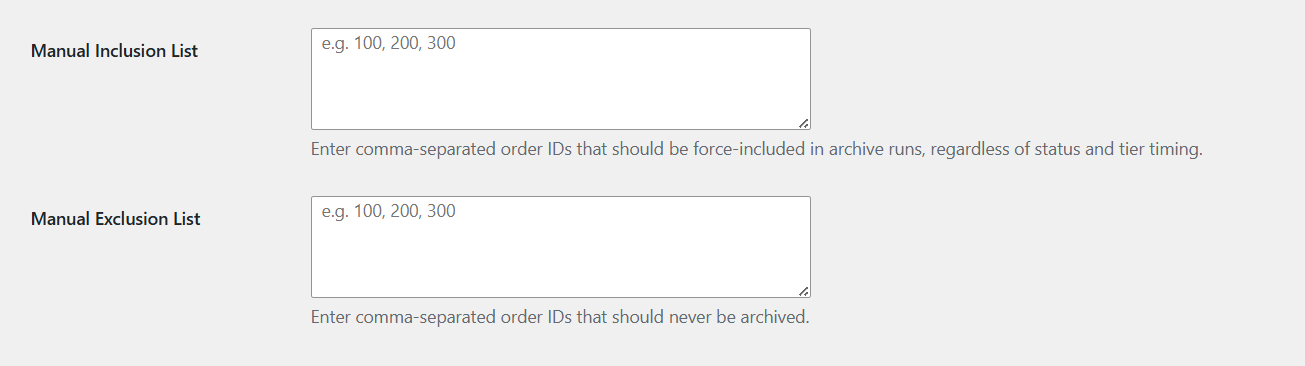
Add order IDs to the Manual Inclusion List to archive them right away, regardless of status or timing rules. Add IDs to the Manual Exclusion List to keep them out of every archive run, permanently.
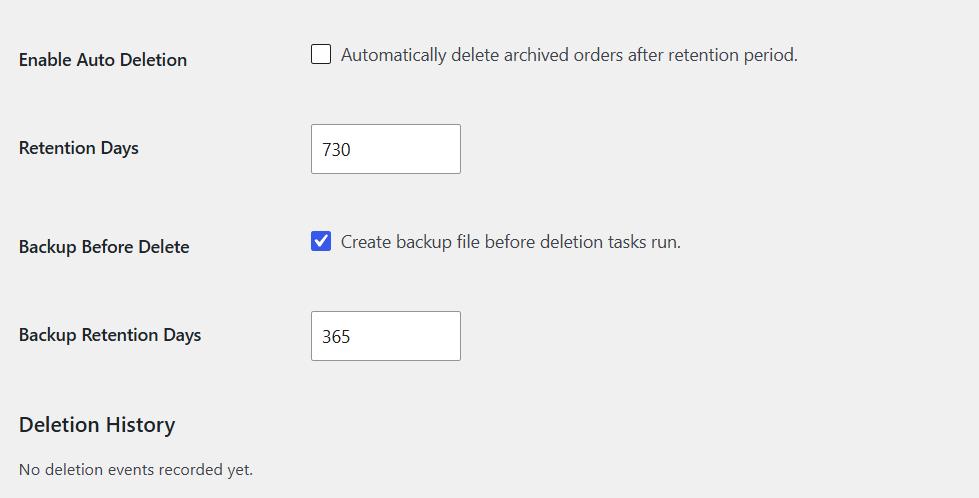
Deletion Schedule with Backup Protection
This WooCommerce order backup plugin lets you set a retention period so old archived orders delete automatically once it ends. Enable backups before every deletion run, set a separate retention period for backup files, and keep a log of every deletion event.
Give Customers Access to Archived Orders
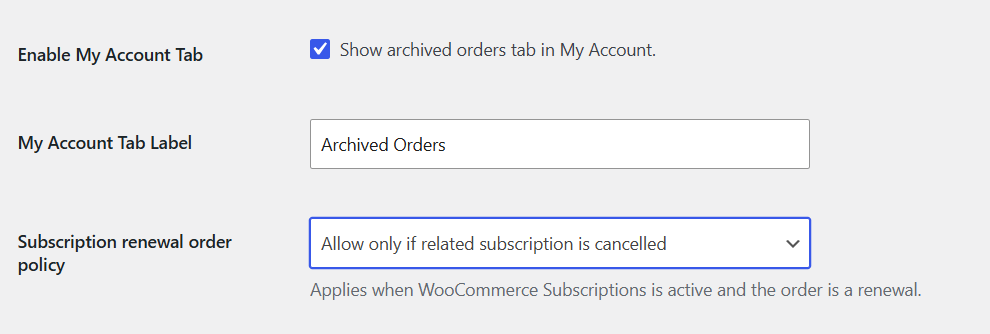
Add an "Archived Orders" tab to My Account so customers using this WooCommerce archived orders plugin can view past orders anytime, with a customizable tab label. For stores using WooCommerce Subscriptions, set a renewal order policy to control archiving of active subscriptions' renewal orders.
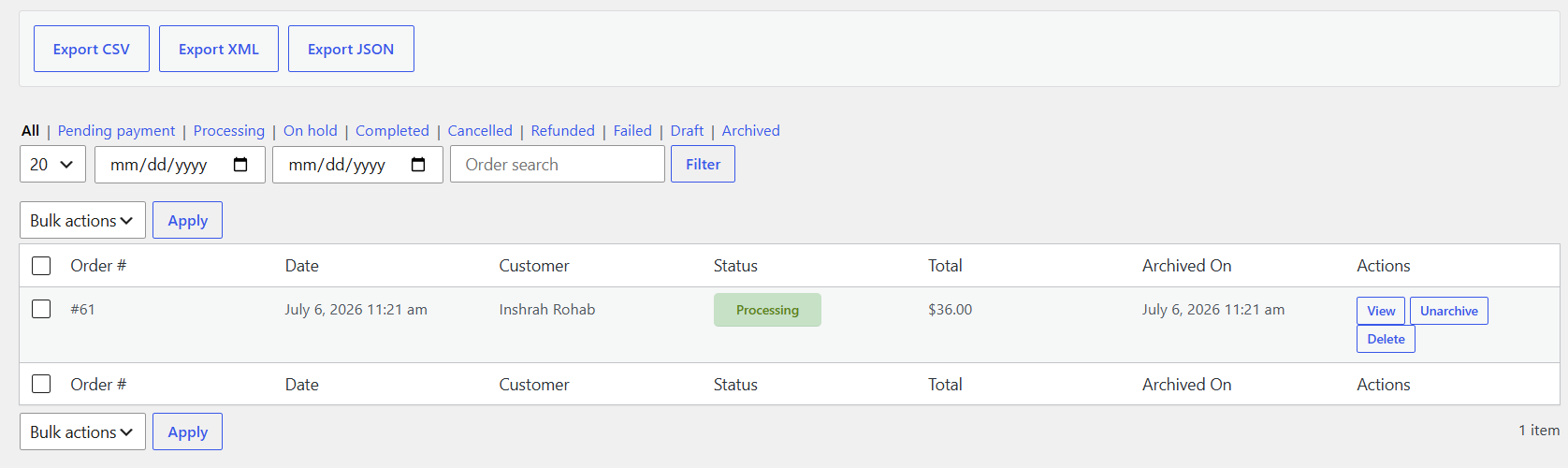
View and Export Archived Orders in One Place
This WooCommerce order export plugin gives you access to every archived order from a dedicated Archived Orders tab in your WordPress dashboard. Export the data as CSV, XML, or JSON in one click, filter by status, including pending payment, processing, on hold, completed, cancelled, refunded, failed, and draft, or narrow results by date range and order search.
Control Data on Plugin Deactivation
Choose whether the plugin's database table and settings get deleted on deactivation. This stays off by default, so your archive data is safe unless you choose to remove it.

Review & Rating
Frequently Asked Questions
-
 30-day money back guarantee
-
 Dedicated Support Team
-
 Safe & Secure Free Update
-
 Safe Customized Solutions