- $USD
- English (United States)
- Hire an Expert
- Get Support







Also Sold on

File Uploader
WooCommerce file upload plugin allows customers to upload files on product, cart, or checkout pages along with orders. This streamlines the ordering process in your store and improves communication.
- Enable single or multiple file uploads
- Set the uploaded file type and size
- Notify customers via email about the status of their file
- Customize the upload...
Details & Compatibility
Version
1.1.8
Last Update
October 2, 2026
Compatibility
WooCommerce version 2.6.0 or higher | Wordpress version 4.6 or higher
Support
Whats Include
- Quality checked by Extendons
- Future updates
$0.00
Customize this Plugin
CustomizeFile Uploader Features
Allow customers to upload files directly on product pages, checkout, or cart pages with file upload for WooCommerce. You can upload multiple files and set restrictions on file size and type. Store owners can access uploaded files easily from the order details and accept or reject the files .
- Multiple file upload
- Set file type and size
- Customize file upload button
- Customer Notification via Email
- Set price for file upload
- Easy file management

Multiple file upload

Set file type and size

Customize file upload button

Customer Notification via Email
Set price for file upload
Easy file management
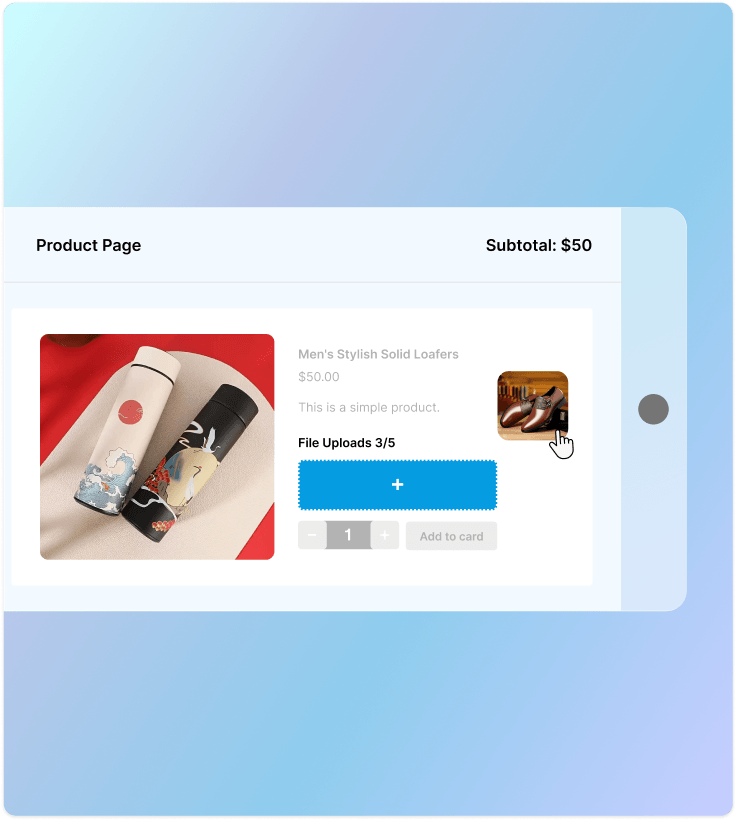
Allow File upload on the Product Page
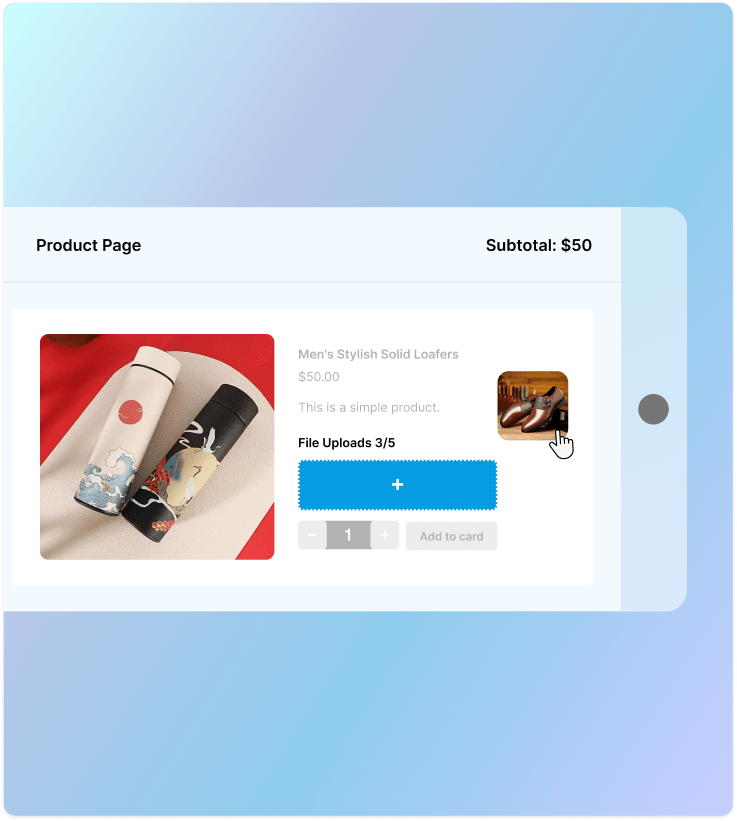
Enable customers to upload the file along with the order to easily understand requirements. With WooCommerce upload file plugin you can display the button on the product page. It improves the ordering process for customers by attaching their customization needs.
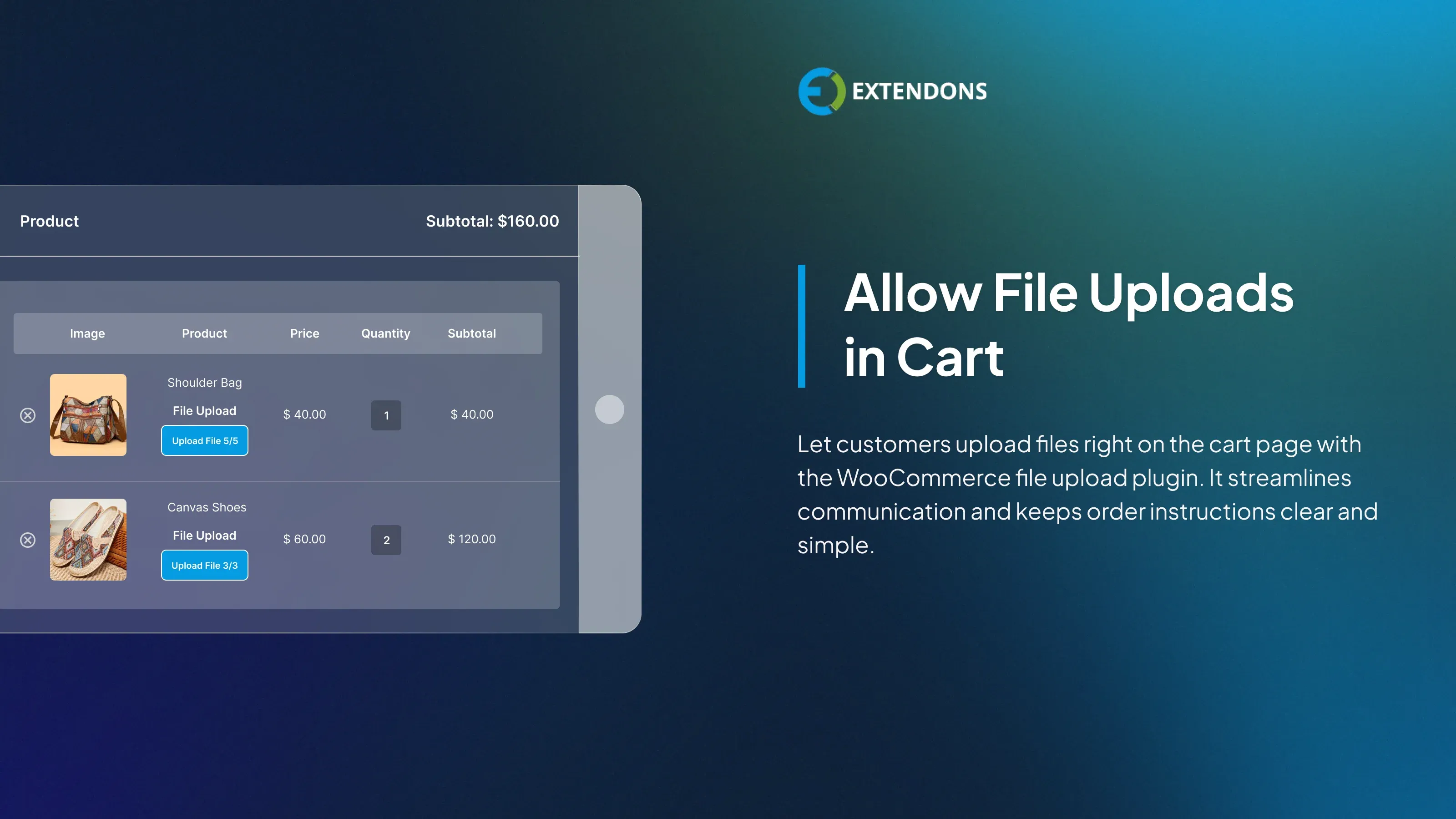
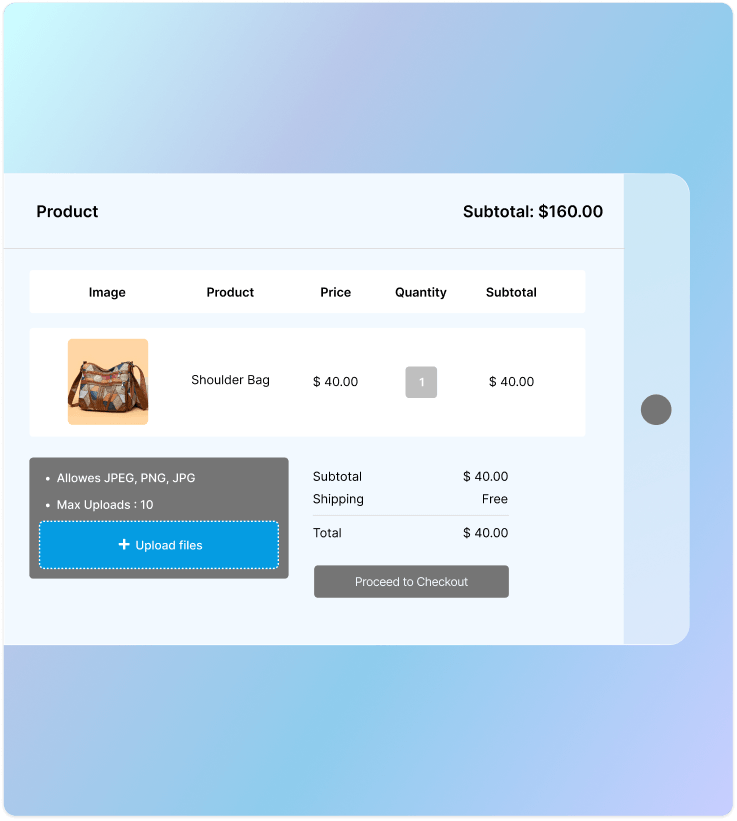
Display Upload File Option on Cart Page
The plugin lets your customers upload files on the cart page. This improves the communication between the customers and store owners. It minimizes the need for lengthy emails allowing customers to communicate their requirements without any hassle.
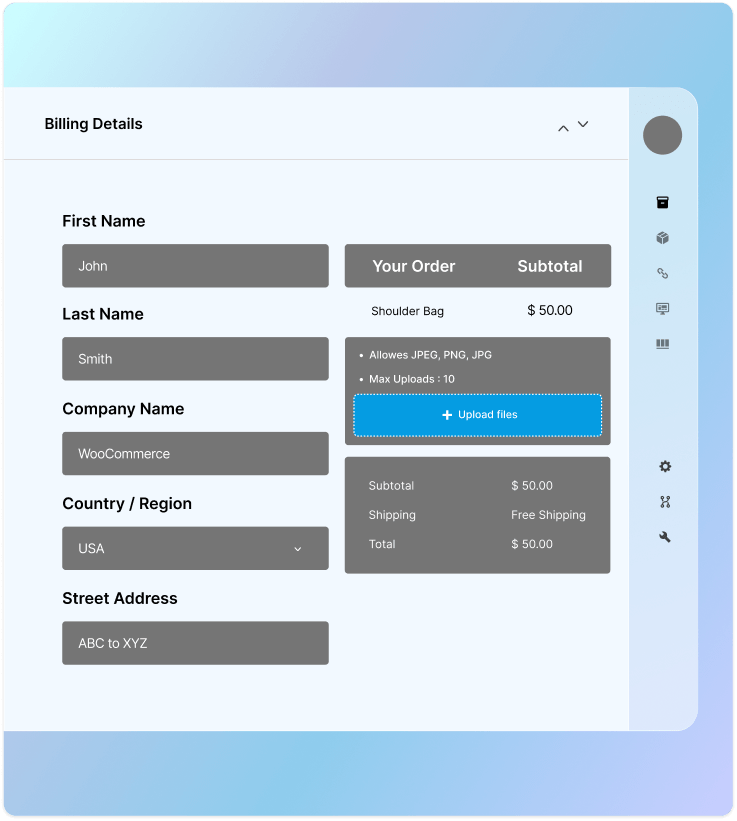
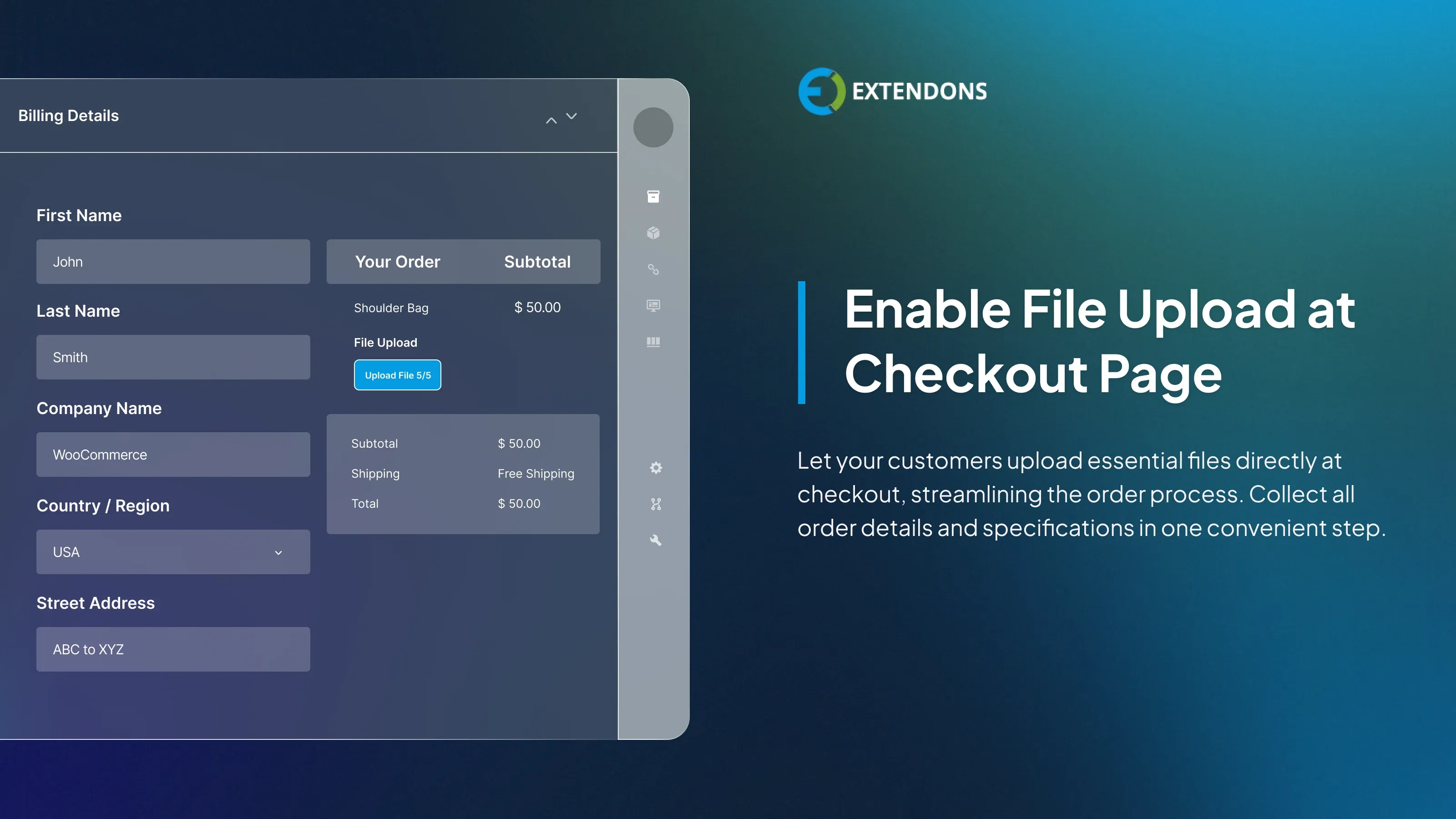
Enable File Uploads at Checkout
Checkout files upload for WooCommerce allows you to let customers upload files at the checkout page along with their orders. It not only streamlines the ordering process but also ensures you gather all necessary details and order specifications in one place.
Drag and Drop File Upload
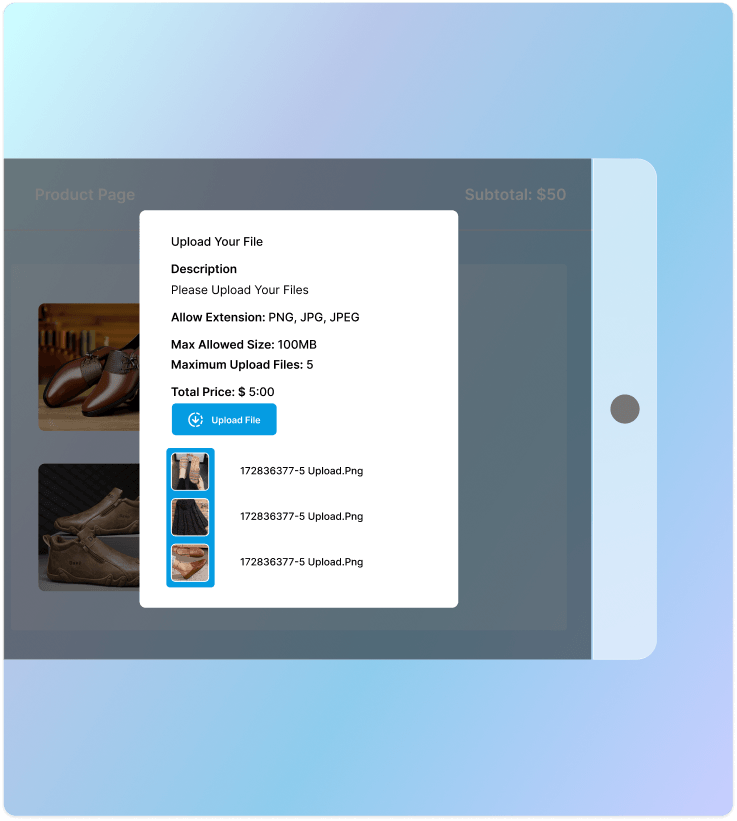
Customers can drag and drop files directly into the upload area instead of manually browsing through folders. This makes the file upload process quicker and more convenient, saving customers time and effort.
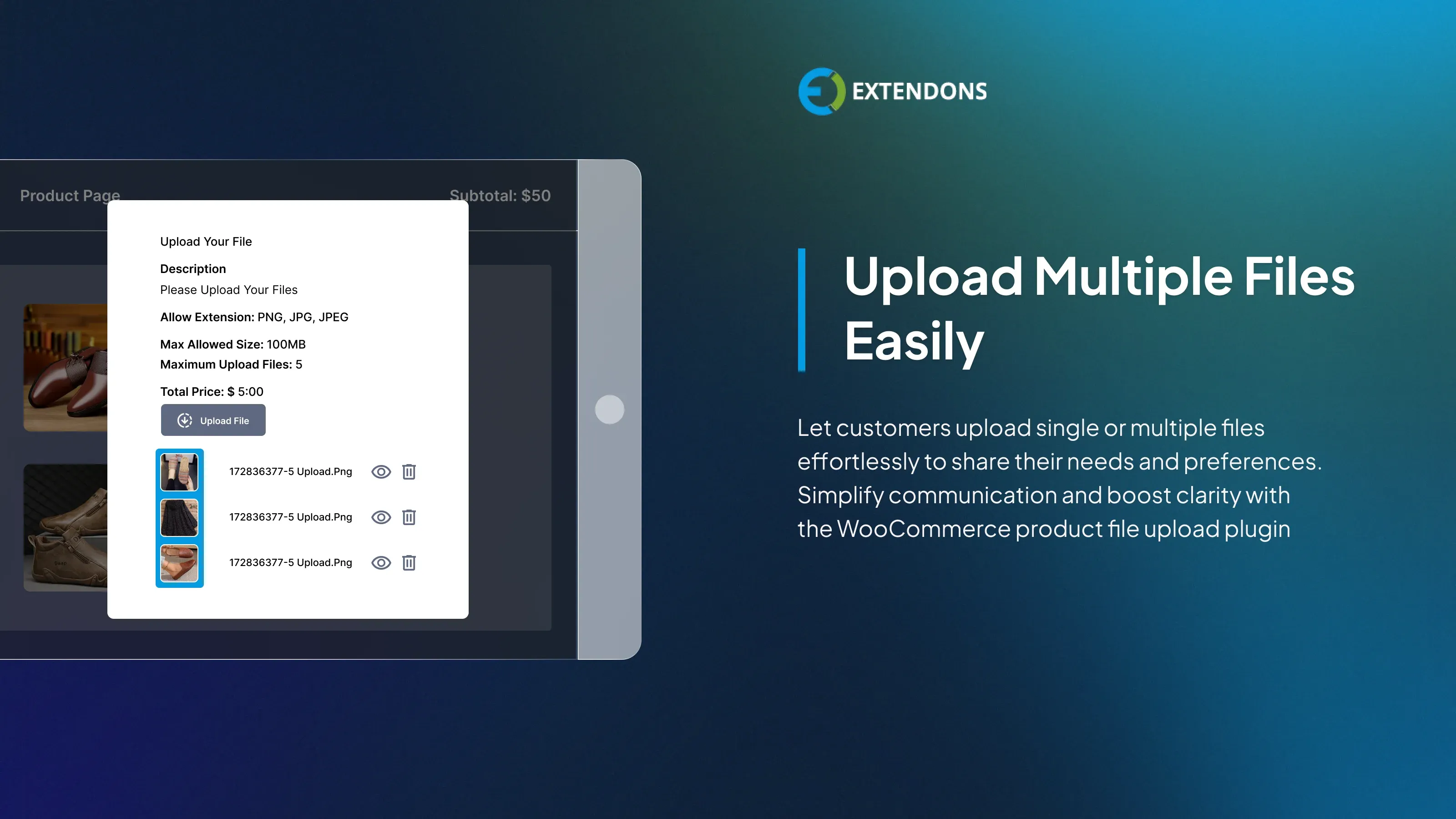
Enable Multiple File Uploads
This plugin lets customers upload multiple files across different pages, allowing them to express their requirements and customization preferences freely. The WooCommerce upload file plugin enables simultaneous single and multiple file uploads, enhancing order management efficiency.
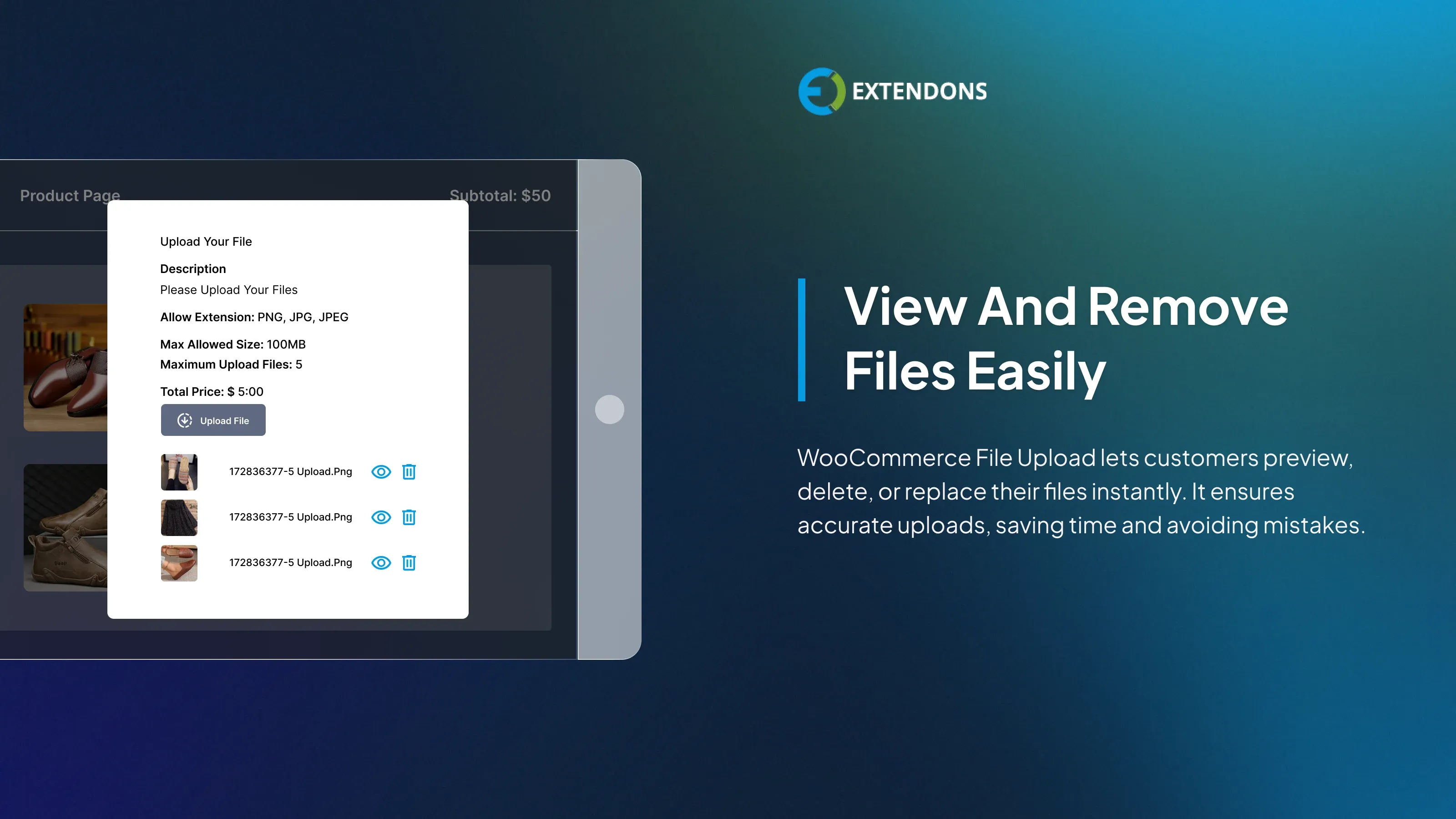
Preview or Delete Upload files
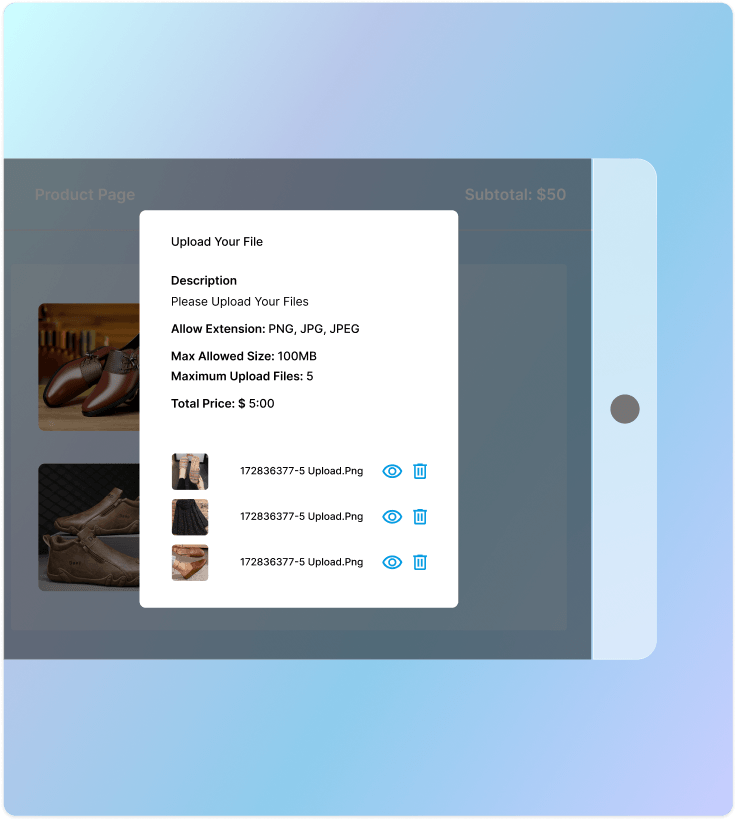
Customers can quickly see their file uploads and make sure they have the relevant information attached by using the WooCommerce upload files plugin. If necessary, they can replace or remove files. Customers could notice mistakes before or after submitting their files, which saves them time and hassle.
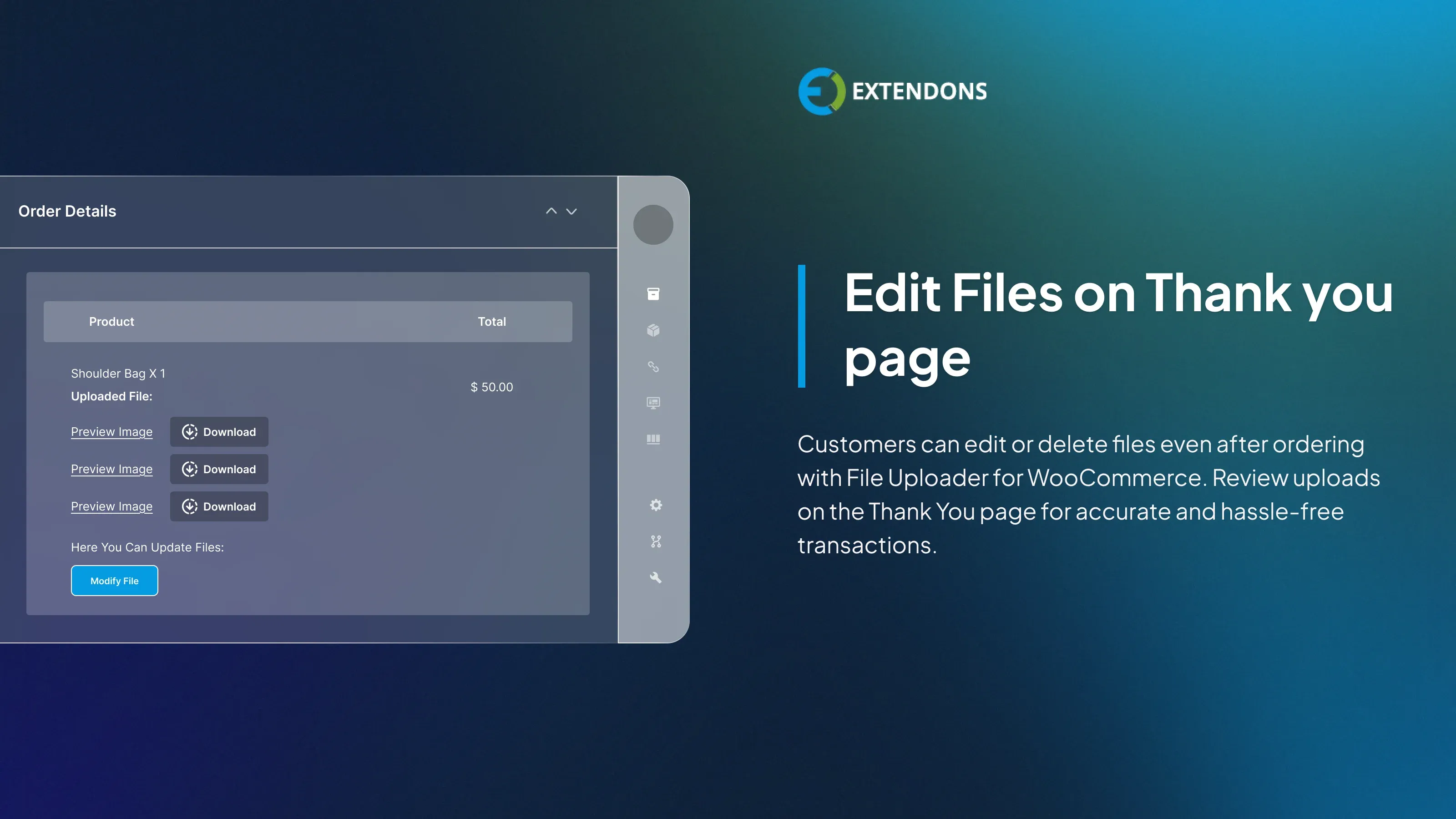
File Upload and Modifications on the Thank You Page
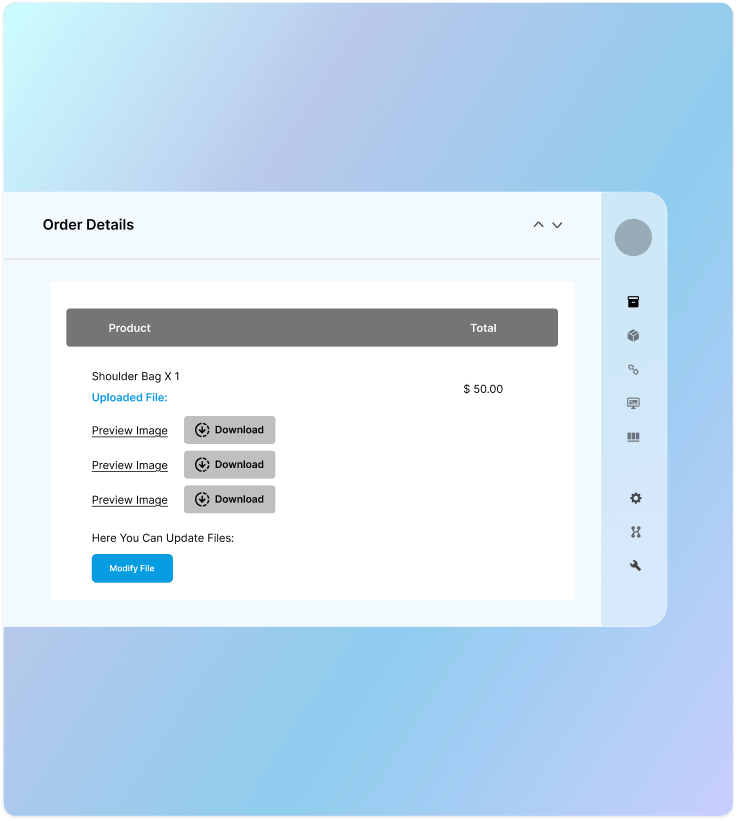
Customers can upload or update their files directly from the Thank You page after placing an order. If they missed an attachment or need to swap out an incorrect file, they can fix it on the spot without reaching out to support. This keeps communication minimal, reduces order errors, and ensures you receive the correct files on time.
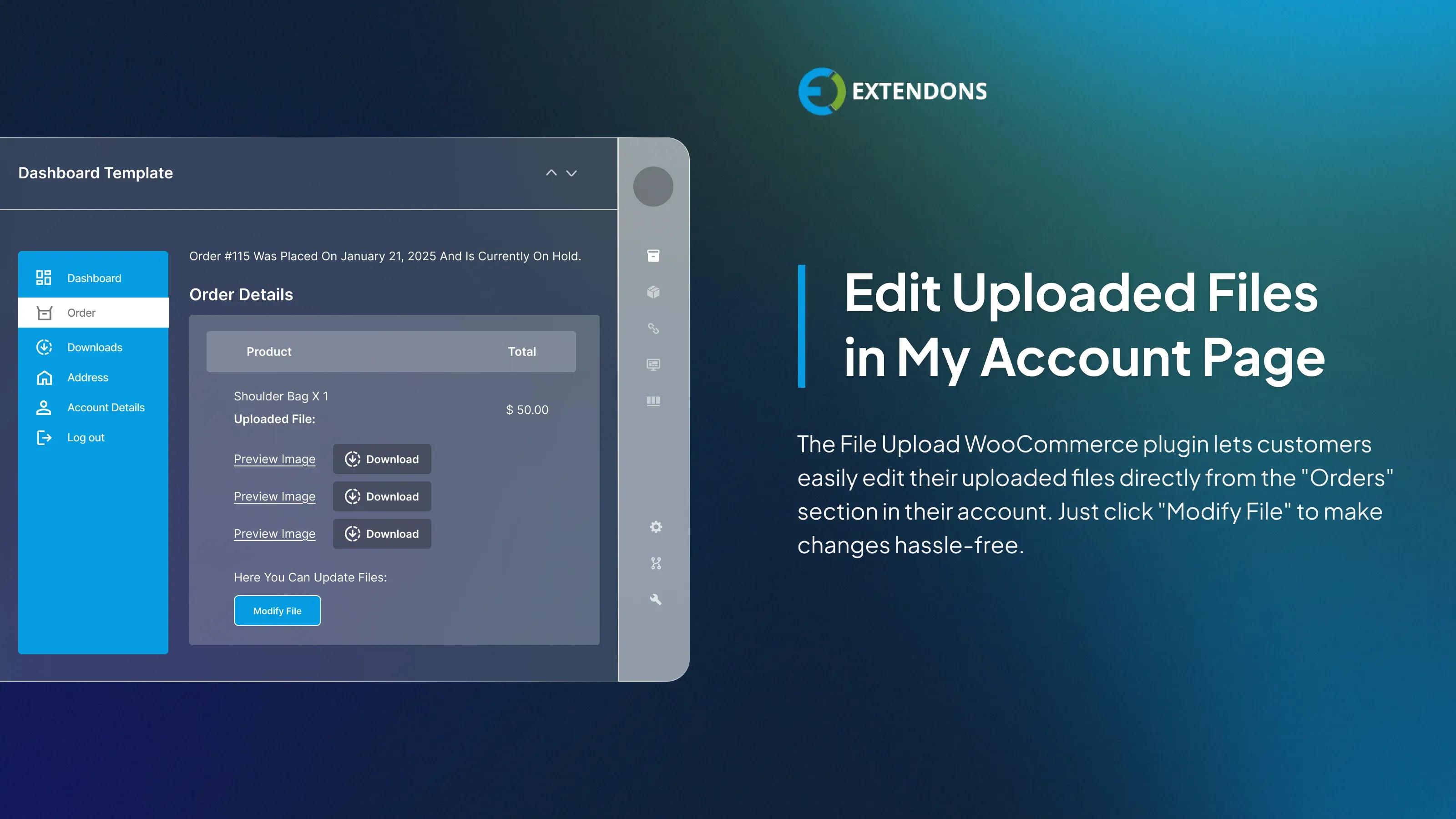
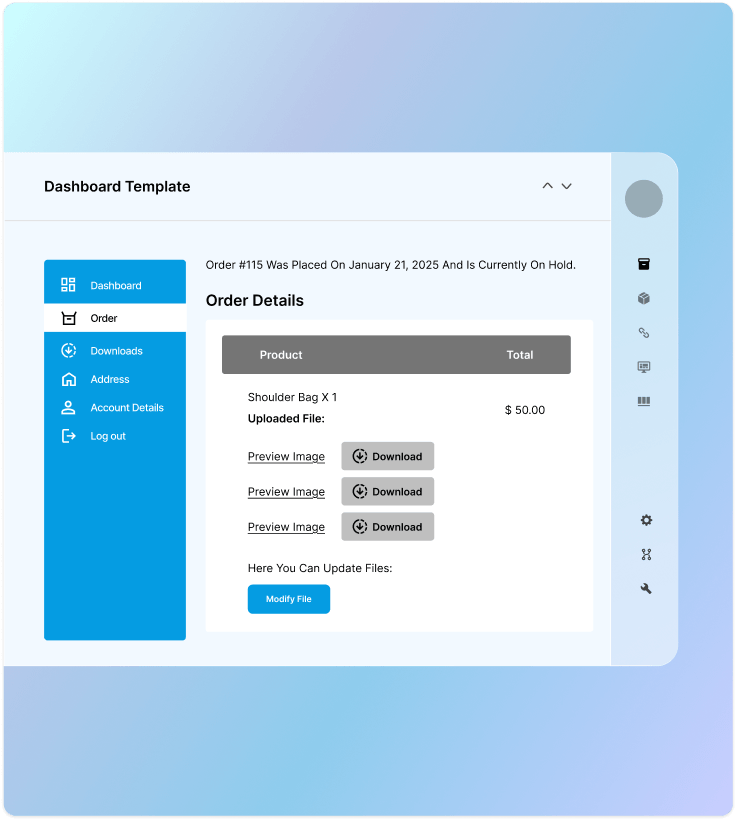
Upload and Manage Files from My Account
Customers can upload and manage their files directly from the Orders section on the My Account page. They can add new files, update existing ones, preview attachments, and check file status, all from one place.
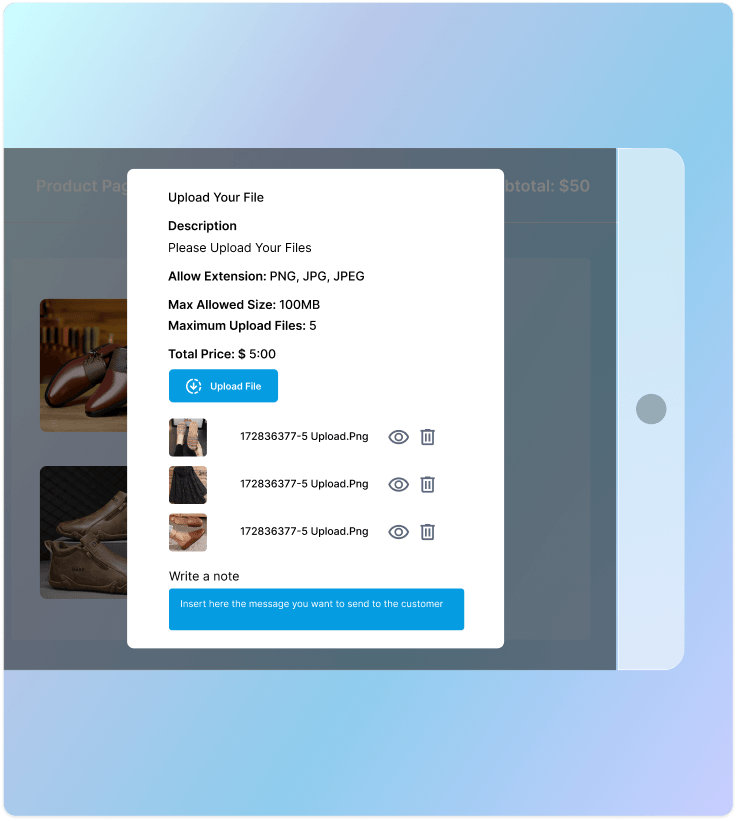
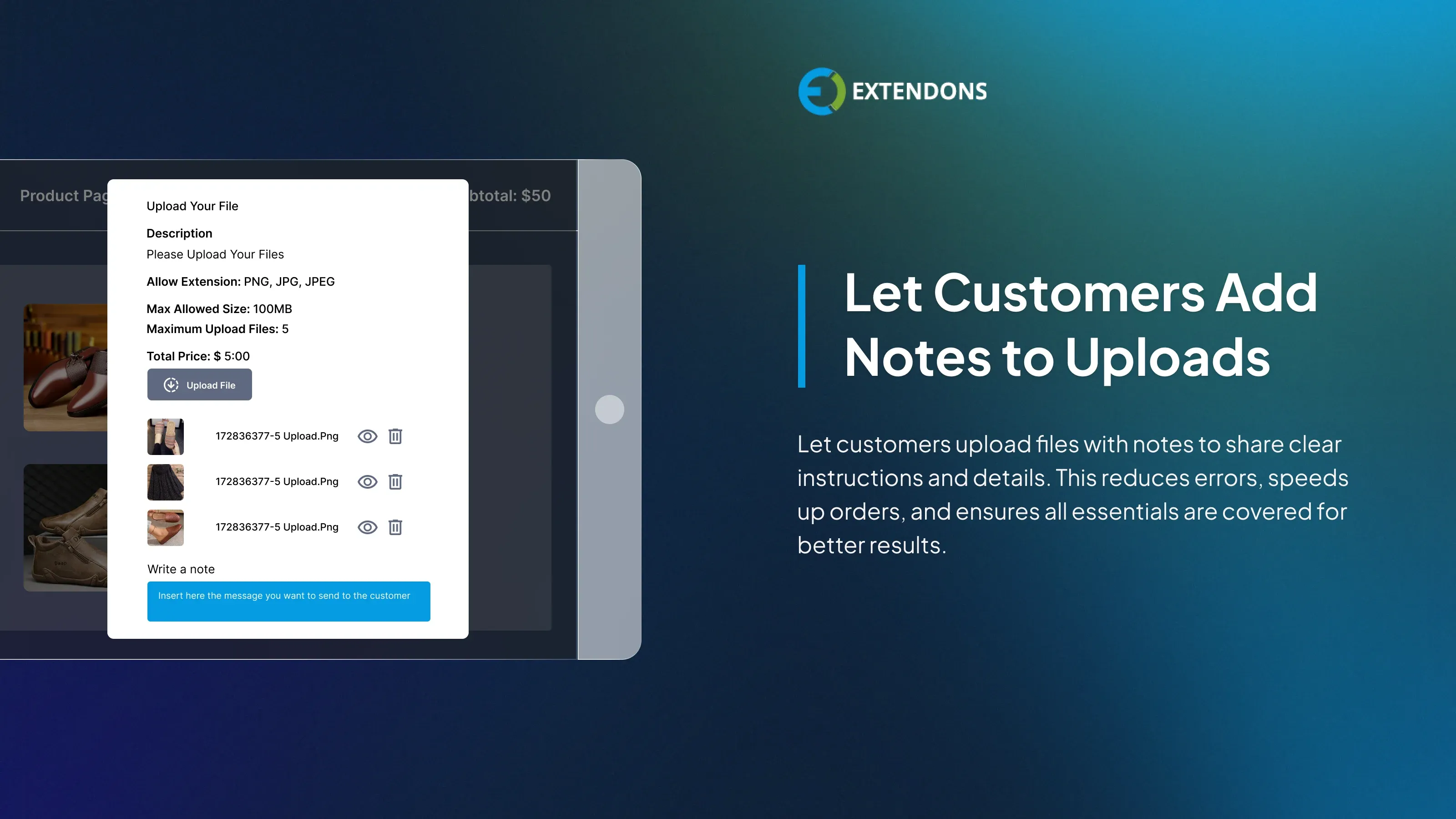
Allow customers to Attach Notes
Allow customers to upload files with detailed notes that offer additional information, including specific instructions and requirements, to reduce errors. Administrators can require these notes to ensure all essential details are included.
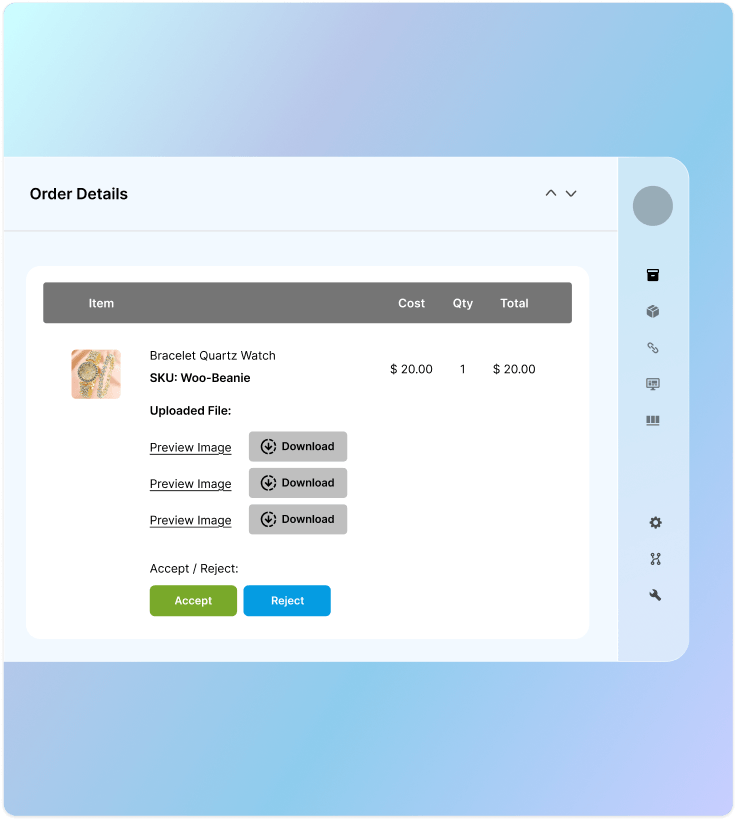
Approve or Disapprove Uploaded Files
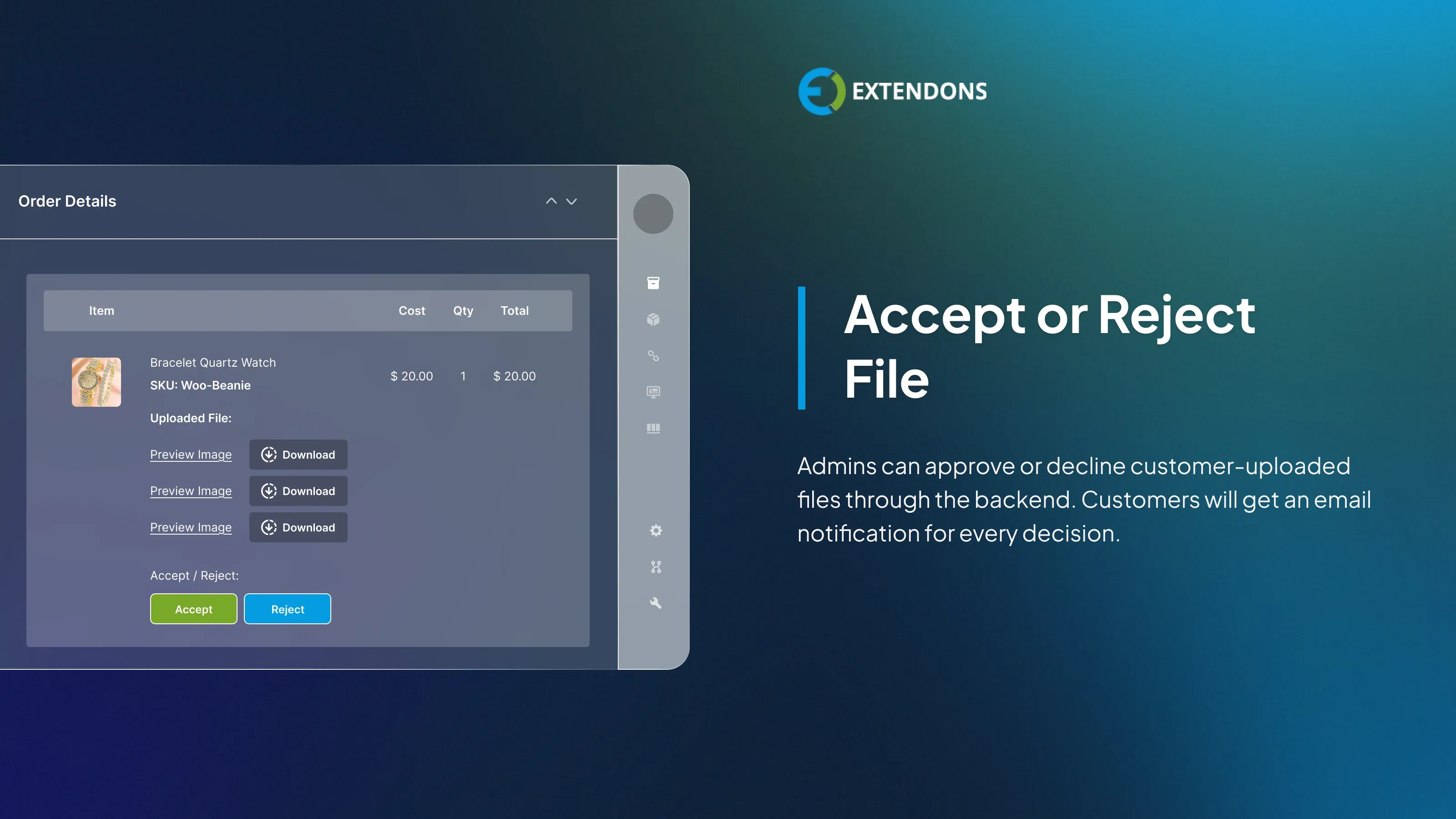
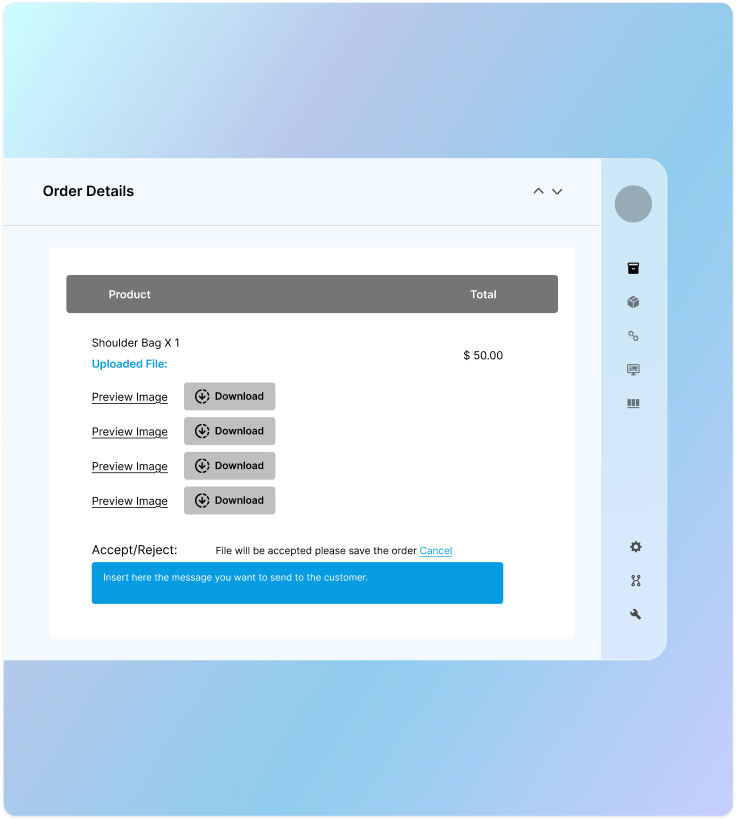
The administrator has the ability to accept or reject files through the back-end system. Customers will receive an email notification regarding the acceptance or rejection of their submitted files.
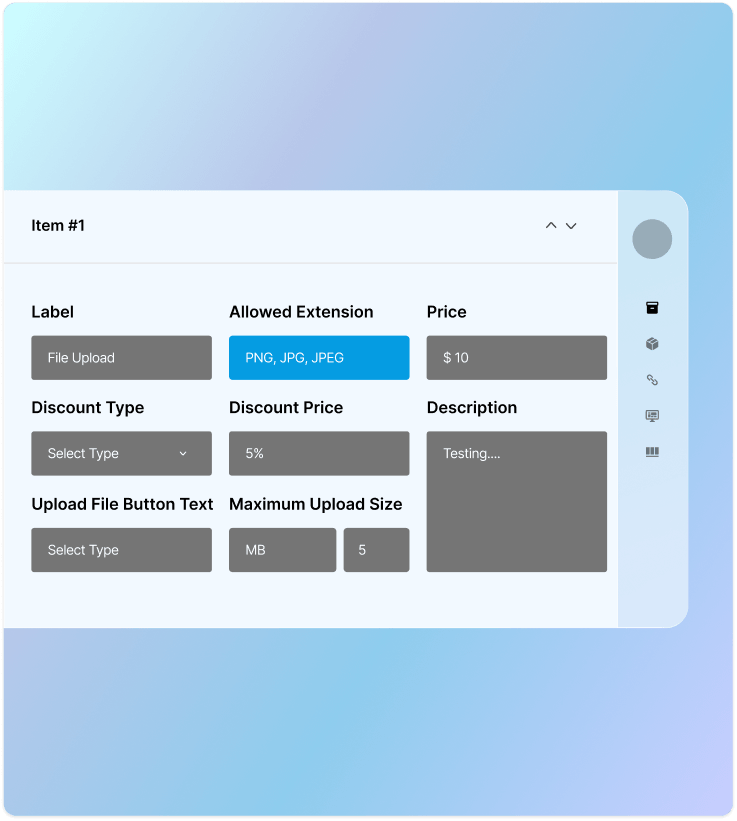
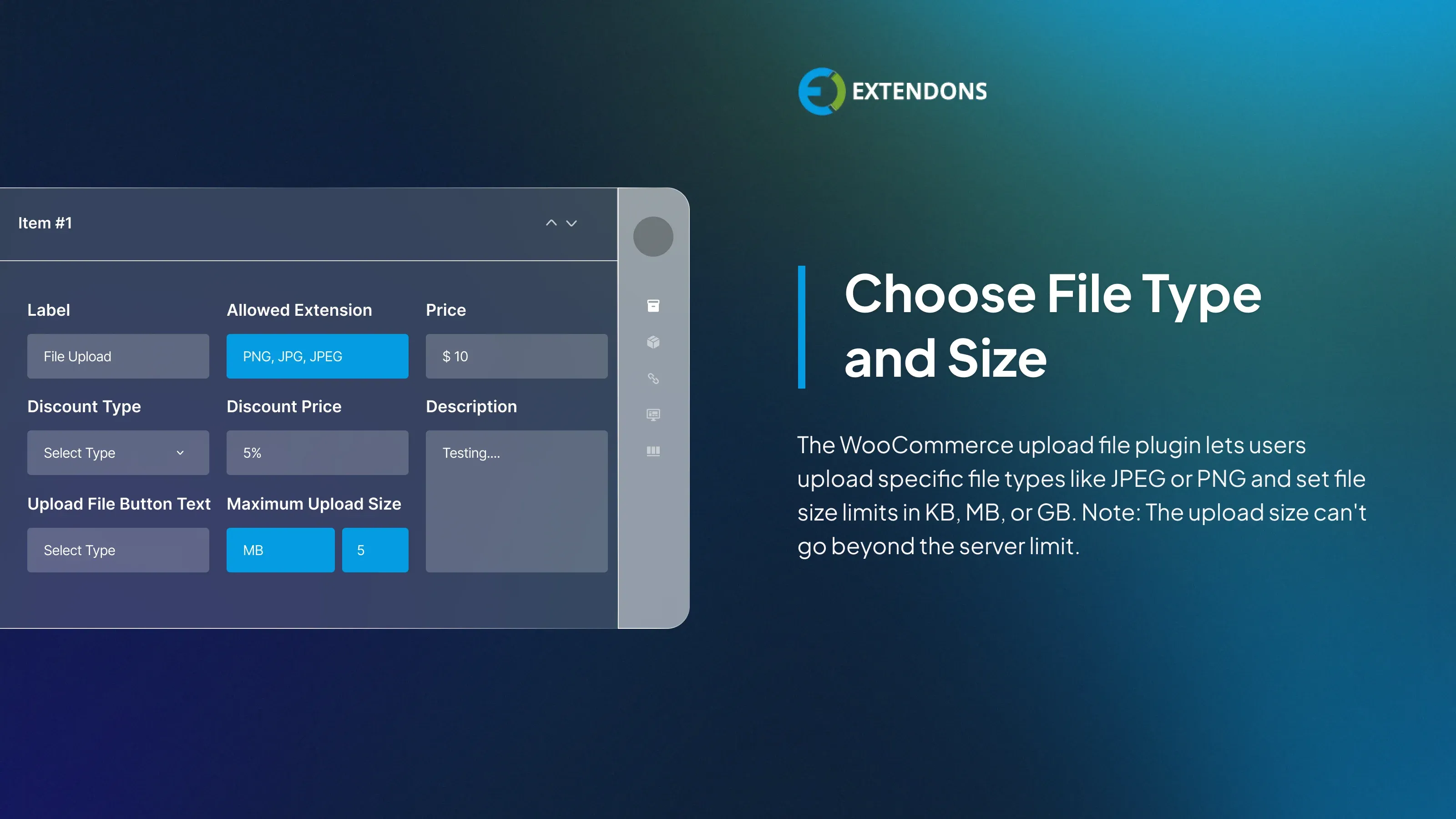
Set File Type and Size
WooCommerce upload file enables you to specify allowed file types for uploads, including formats such as JPEG and PNG. Additionally, it allows you to set the uploaded file size in KB, MB and GP as long as it does not exceed the server limit.
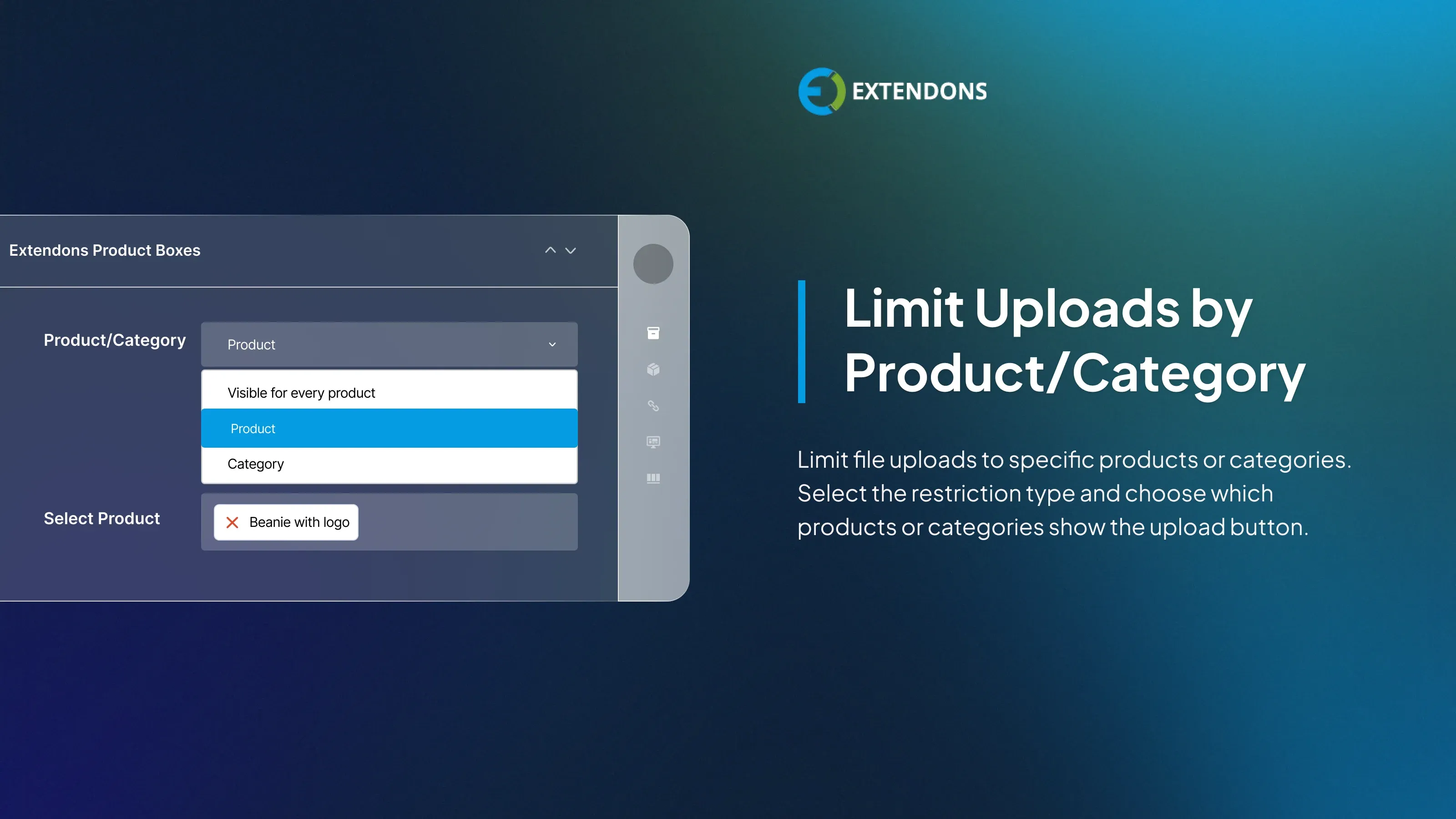
Restrict File Uploads by Products or Categories
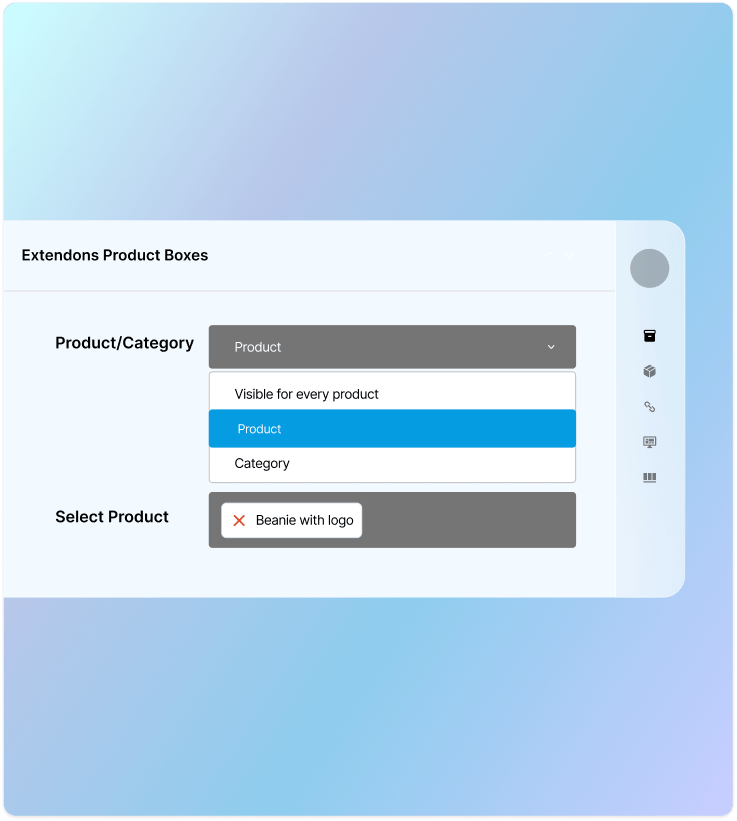
You can restrict file upload based on product or categories to streamline ordering process. he option to upload a file will only appear when a specific product or a product from a certain category is included in the shopping cart.
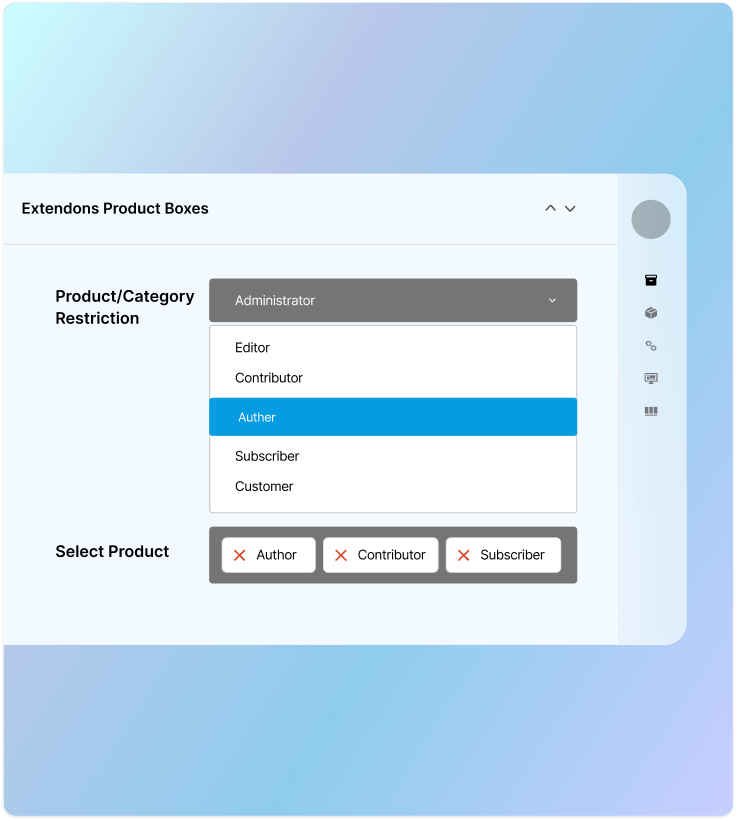
Restrict Upload Based on User Roles
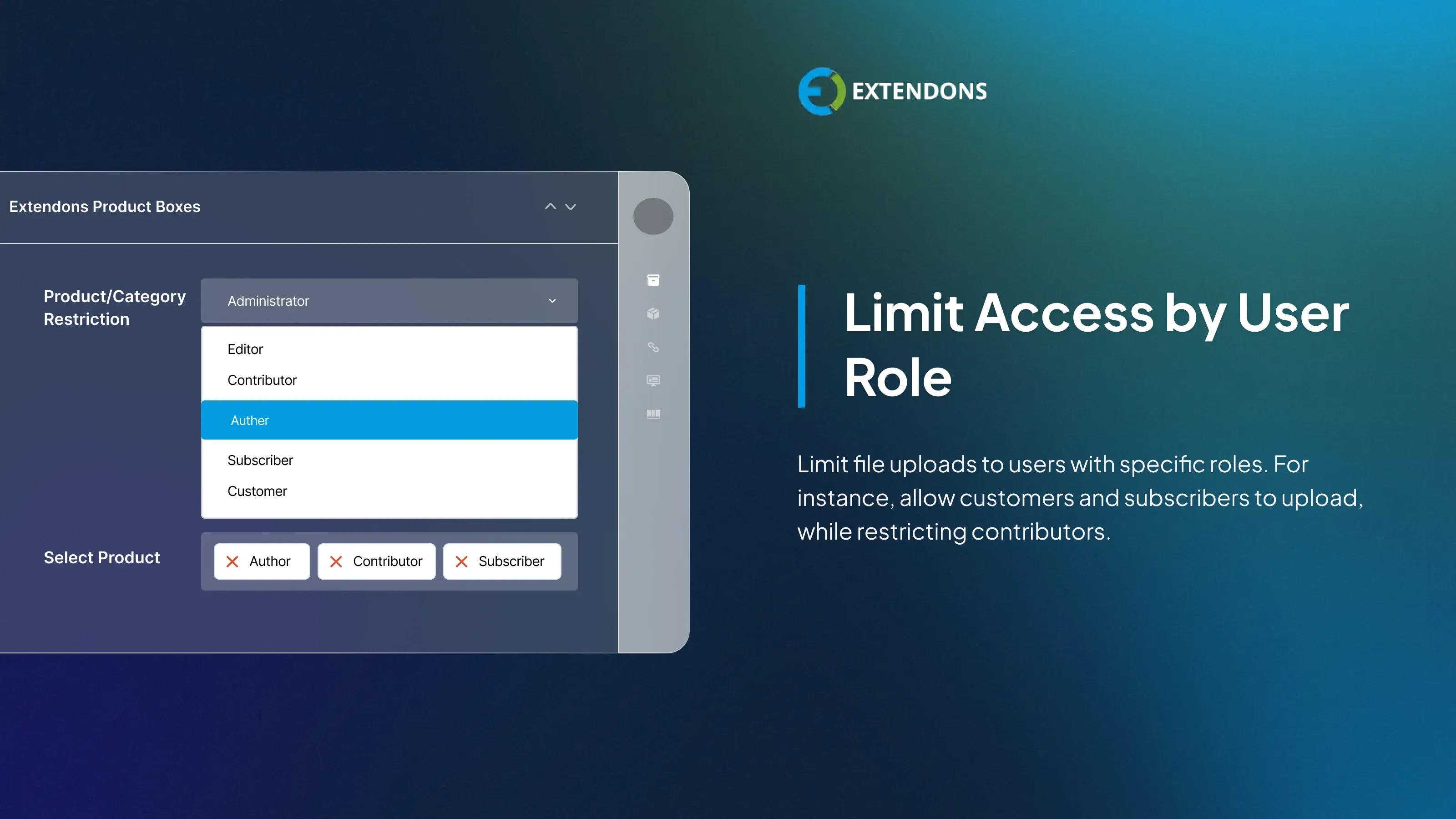
You can restrict users from uploading file while ordering based on their assigned user roles. For example, contributors may be restricted from uploading files, whereas customers or subscribers may have the ability to do so.
Set File Upload limit
WooCommerce customer upload file allows you to set the number of files allowed to be uploaded against each product. Customers can view the number for files they uploaded in my account section.
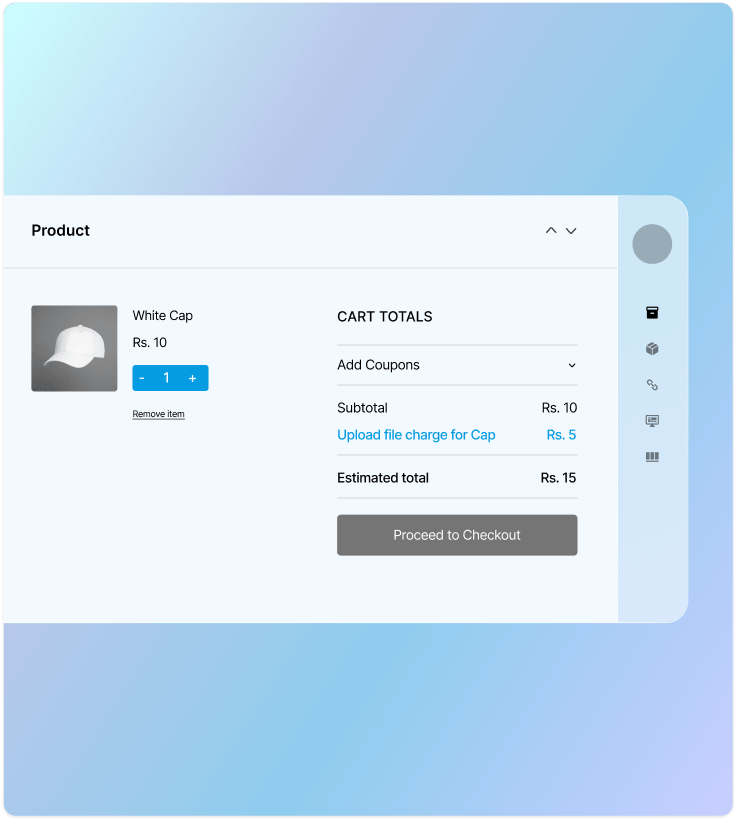
Set Price and Discount for File Upload
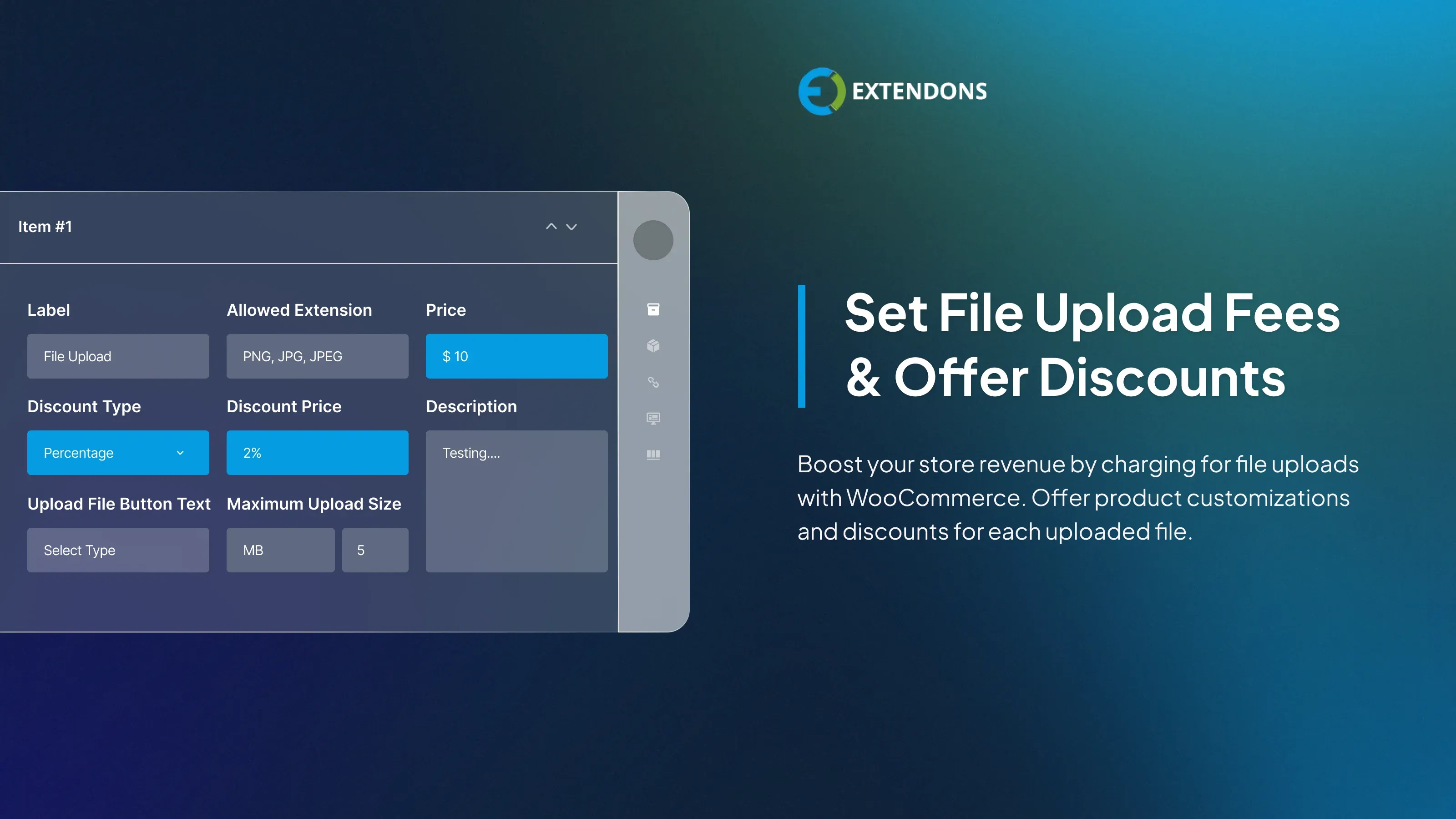
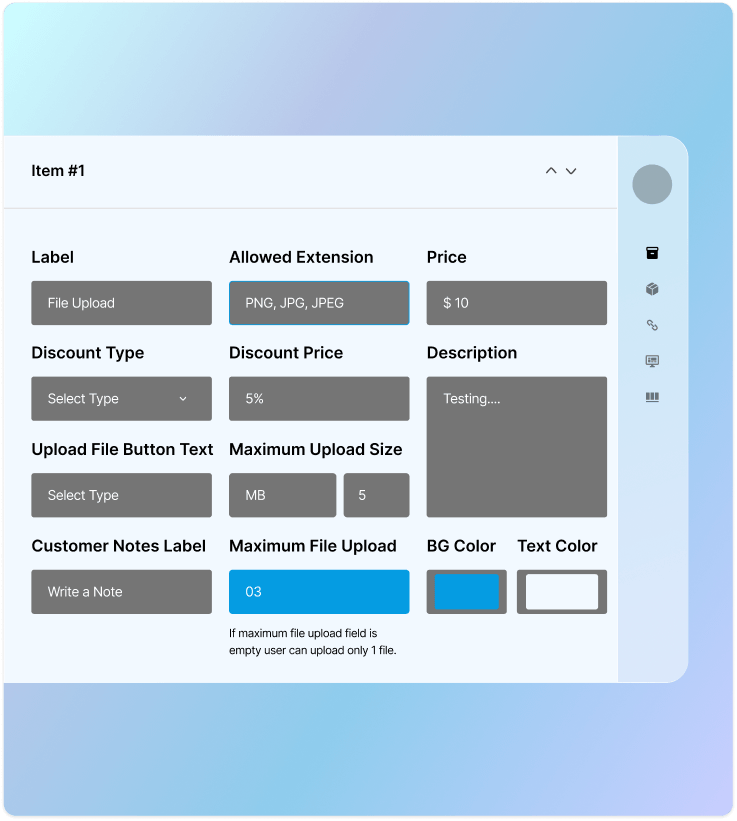
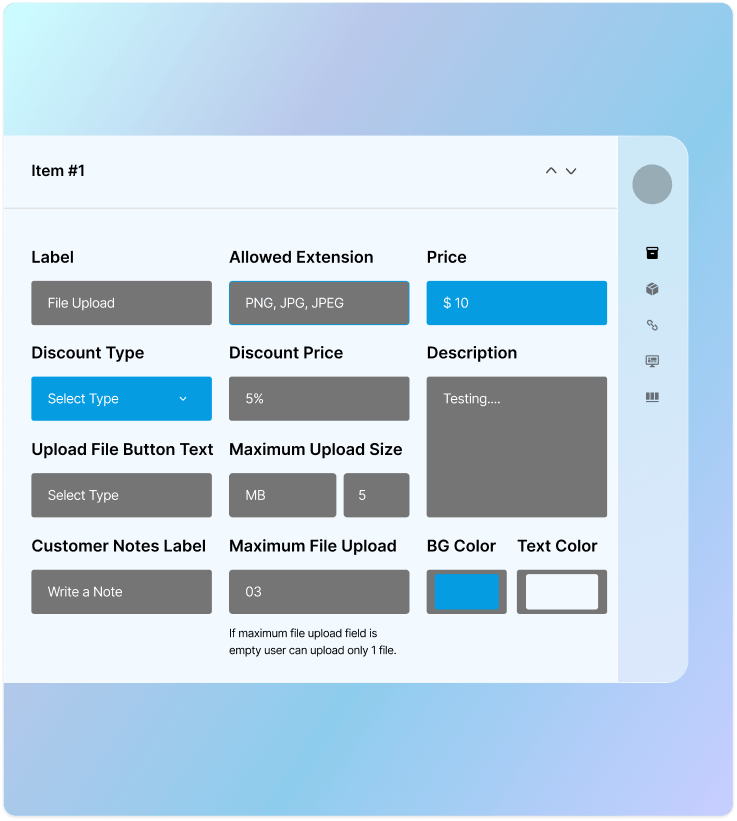
WooCommerce upload files plugin enables you to set a fee for each file that customers upload. This can also serve as a product add-on, where fees are incurred for every customization request submitted by the customer. Additionally, discounts can also be provided for each file uploaded.
Flexible File Upload Pricing
Choose how you want to charge for file uploads. The plugin gives you two straightforward pricing options to match your business needs.
Price per File: Charge customers for each file they upload. Works best for custom or print-based products that require individual processing.
Fee on Item Subtotal: Apply a one-time fixed fee per order regardless of the number of files uploaded, keeping pricing simple and transparent for customers.
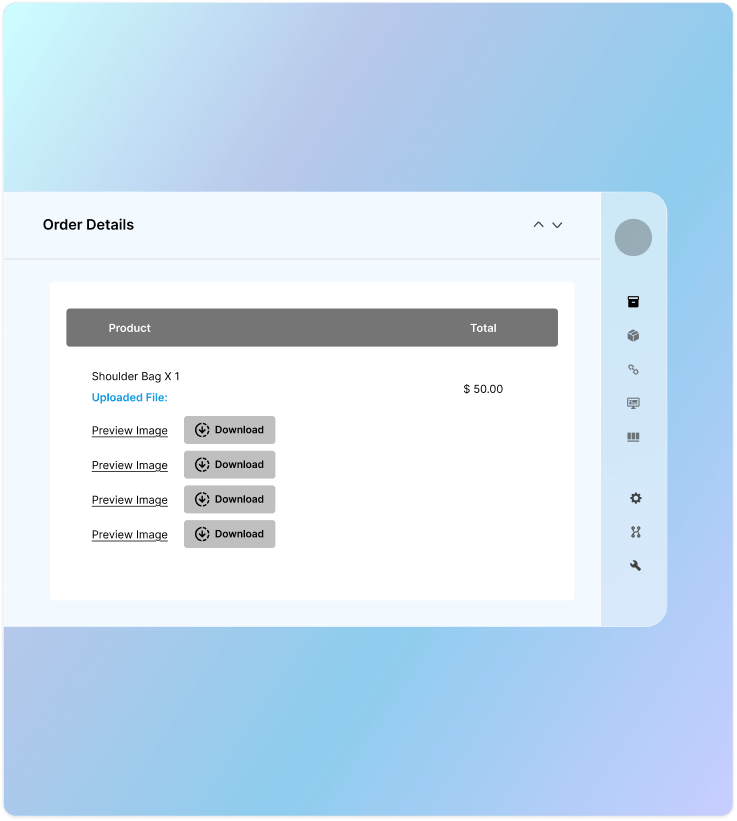
Admin can view Uploaded Files
The plugin allows admins to easily view the uploaded files and notes by simply clicking on the order. This helps store owners to easily understand the customers requirements.
Admin can leave Feedback Notes
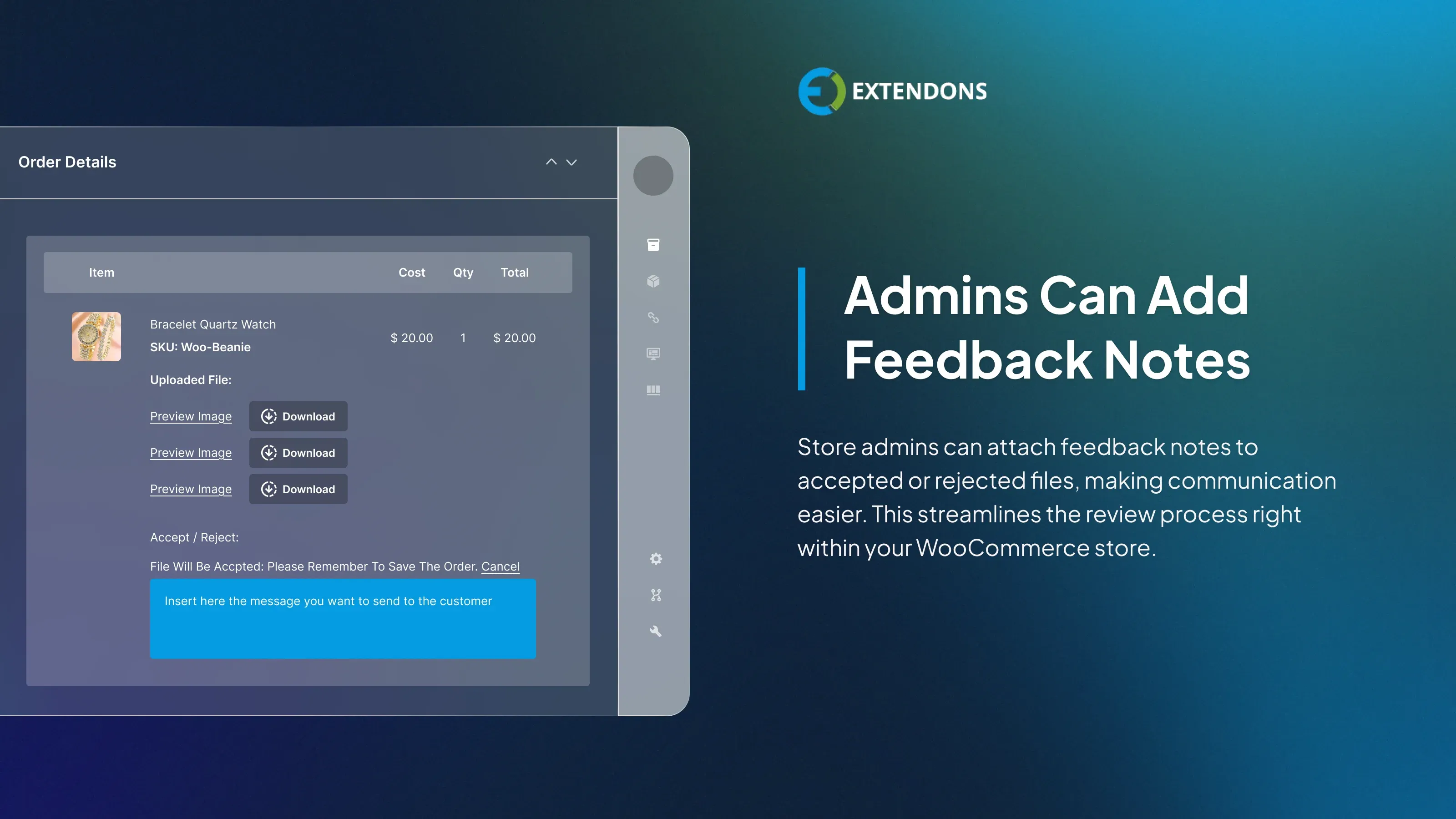
The store administrator has the ability to attach a feedback note to each file that is either accepted or rejected. This enhances the file review process and facilitates more direct communication with customers.
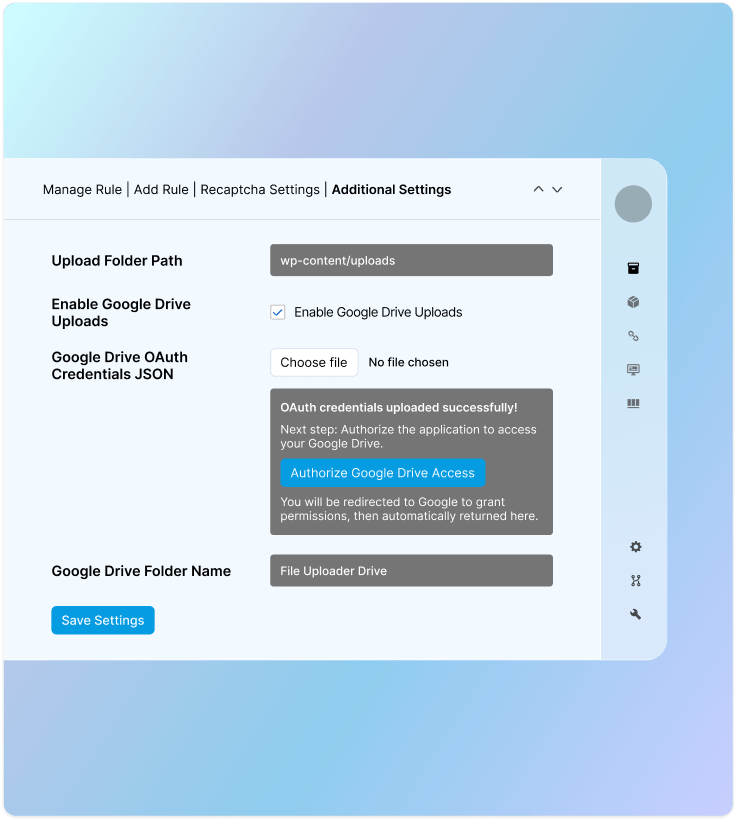
Google Drive Integration for File Storage
Connect your store with Google Drive to store customer uploaded files. This keeps your hosting server light, reduces disk usage, and ensures your site continues to run smoothly without any performance issues.
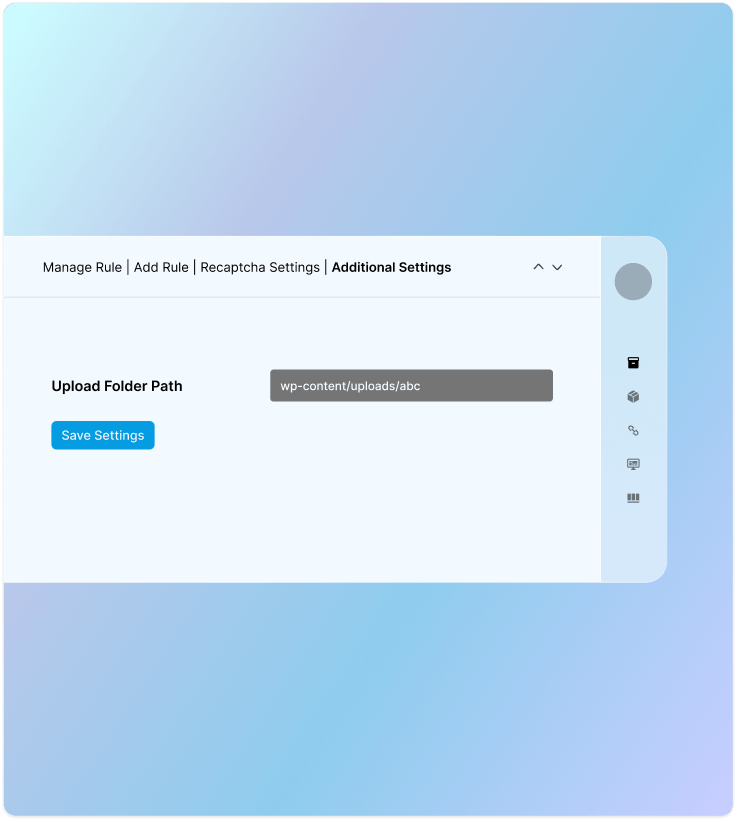
Store Uploaded Files in a Custom Folder
Save customer uploaded files in a dedicated folder to keep everything organized. This prevents uploads from getting mixed with product images or other store data, making it easier for store admins to find and manage files.
Review & Rating
Frequently Asked Questions
-
 30-day money back guarantee
-
 Dedicated Support Team
-
 Safe & Secure Free Update
-
 Safe Customized Solutions