- $USD
- English (United States)
- Hire an Expert
- Get Support








Also Sold on

Booking and Appointment
Manage Bookings & Reservations For Your Business
WooCommerce bookings manage appointments, rentals, or accommodations. Whether you run a hotel or provide services, this plugin simplifies the entire booking process within your WooCommerce store, delivering a seamless and intuitive experience for both customers and store administrators.
- Streamline appointments and...
Details & Compatibility
Version
1.1.0
Last Update
March 24, 2026
Compatibility
WooCommerce version 2.6.0 or higher | Wordpress version 4.6 or higher
Support
6 months support from extendons
Whats Include
- Quality checked by Extendons
- Future updates
$0.00
Customize this Plugin
CustomizeMain Feature
Easily manage appointments, rentals, or accommodations right from your WooCommerce store. Perfect for hotels, salons, and service-based businesses, Booking for WooCommerce lets customers choose booking durations, add extra services, and view locations with Google Maps.
Set flexible or fixed time slots, apply dynamic pricing by room type or guest count, and automate email notifications. Streamline your booking process and deliver a seamless experience for both you and your customers.
- Streamlined booking for various services
- Flexible time slots for bookings
- Optional services with clear pricing
- Dynamic pricing by person type
- Google Maps for location display
- Custom pricing by room or person
- Automated booking email notifications
- WPML integration

Set person types and pricing for them

Create price range for rooms, persons, duration

Display product location with Google Map
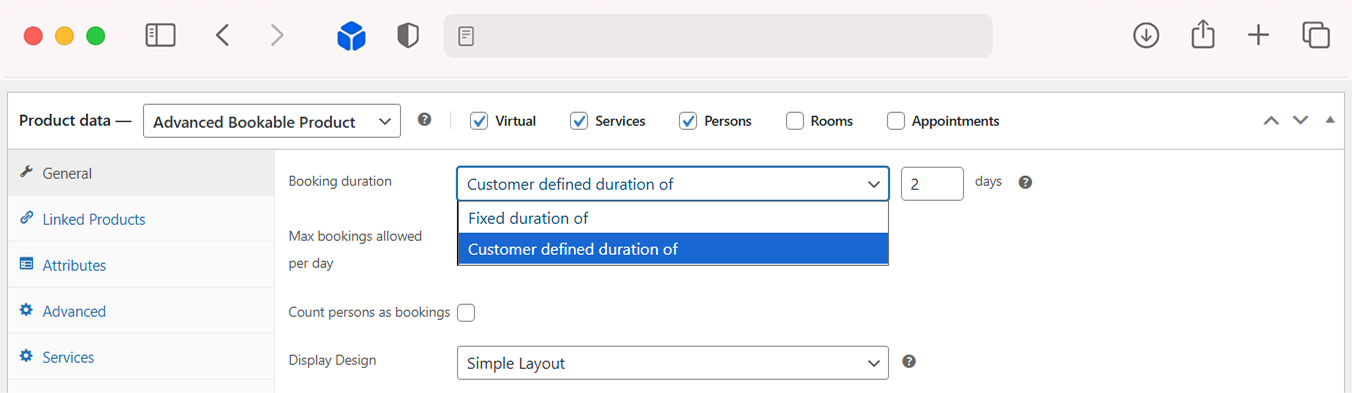
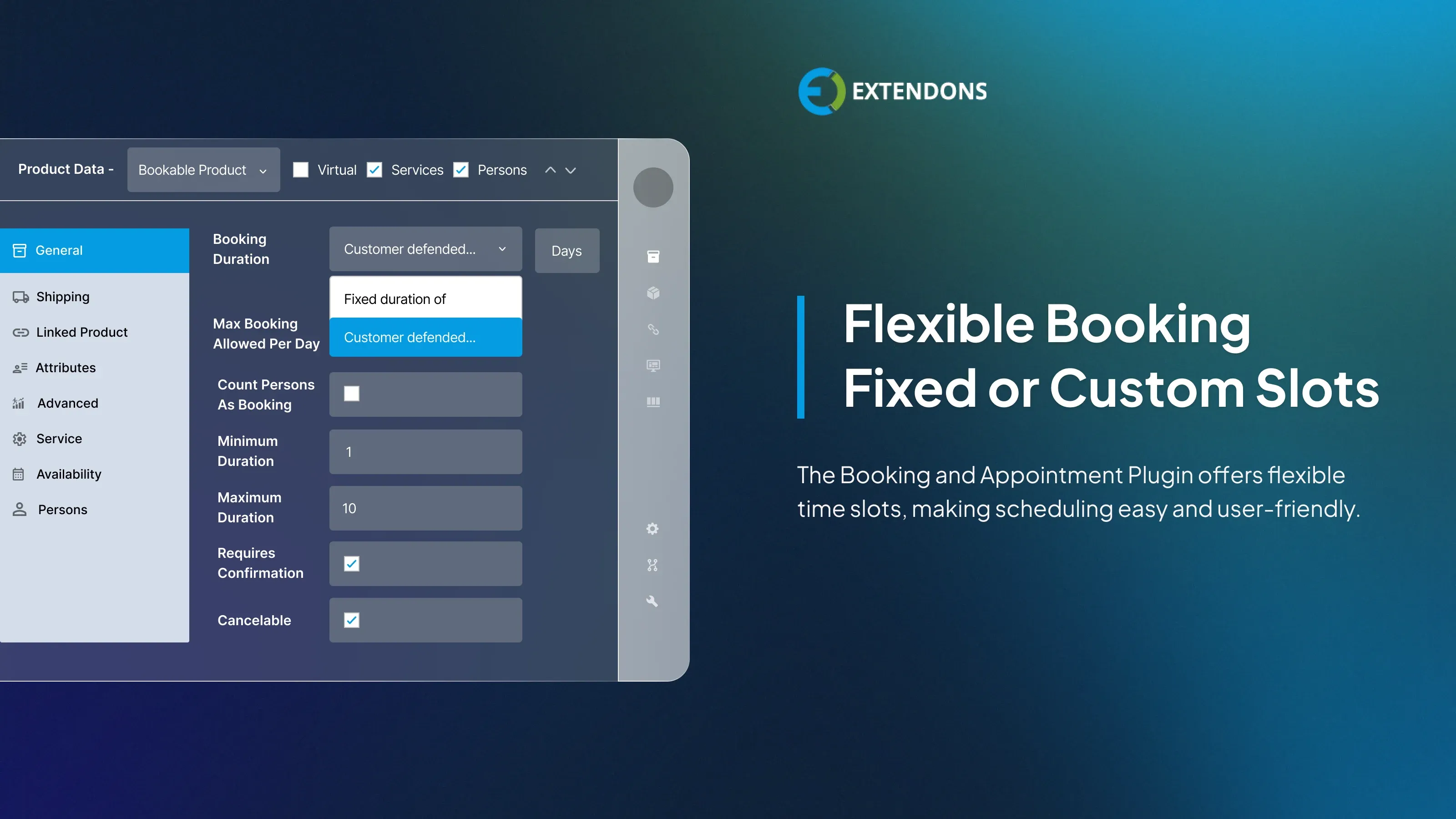
Flexible Booking Time Slots
Offer both fixed and custom time slots to match your business needs. Whether you run a salon, hotel, or rental service, customers can choose from preset durations or define their own based on availability making the booking experience more flexible and user-friendly.
Create Custom Appointment Schedules (New)
WooCommerce booking & appointment plugin allows you to easily set up your availability by defining working days and assigning specific time slots. With full control over your weekly calendar, you can adjust time durations to match your service hours and ensure smooth appointment management.
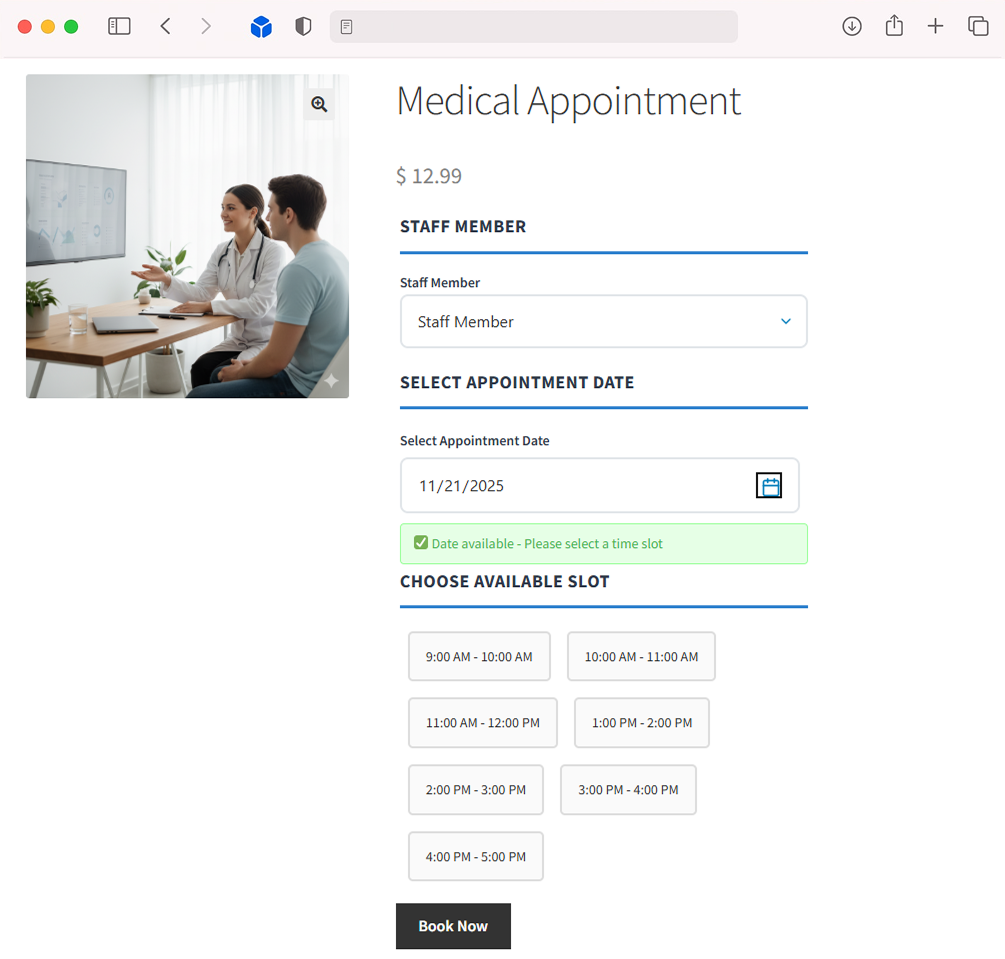
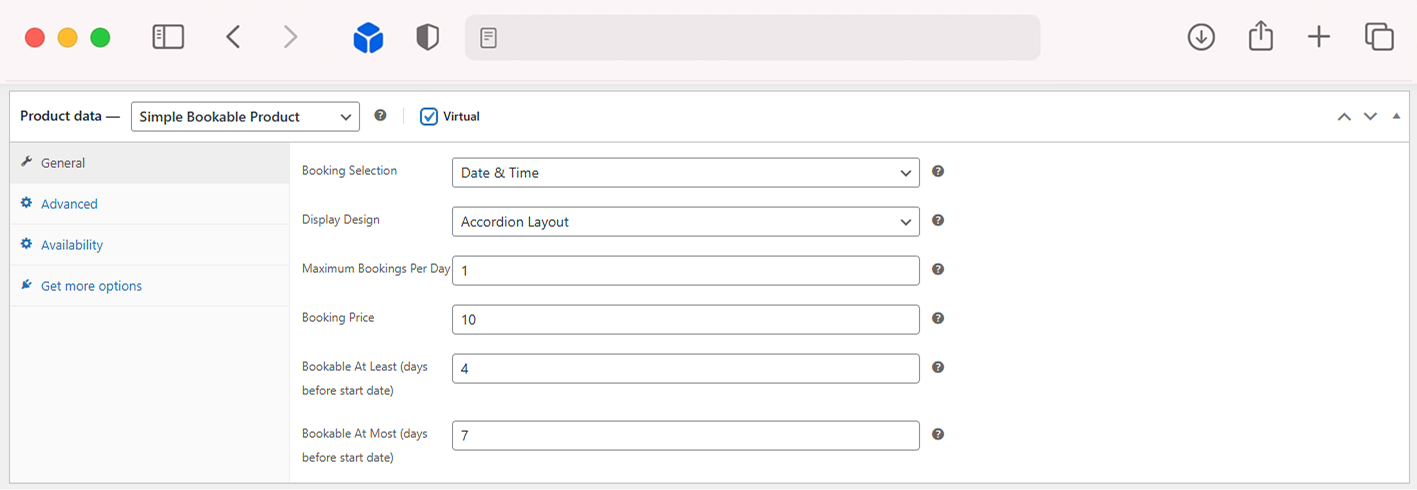
Set Up Simple Booking with Dates & Times (New)
Easily offer reservations with the Simple Booking feature in the WooCommerce Booking Plugin. Customers can book using just a date or select both date and time, while you manage pricing, availability, and daily limits with ease. This feature provides a straightforward setup, making booking management fast, simple,
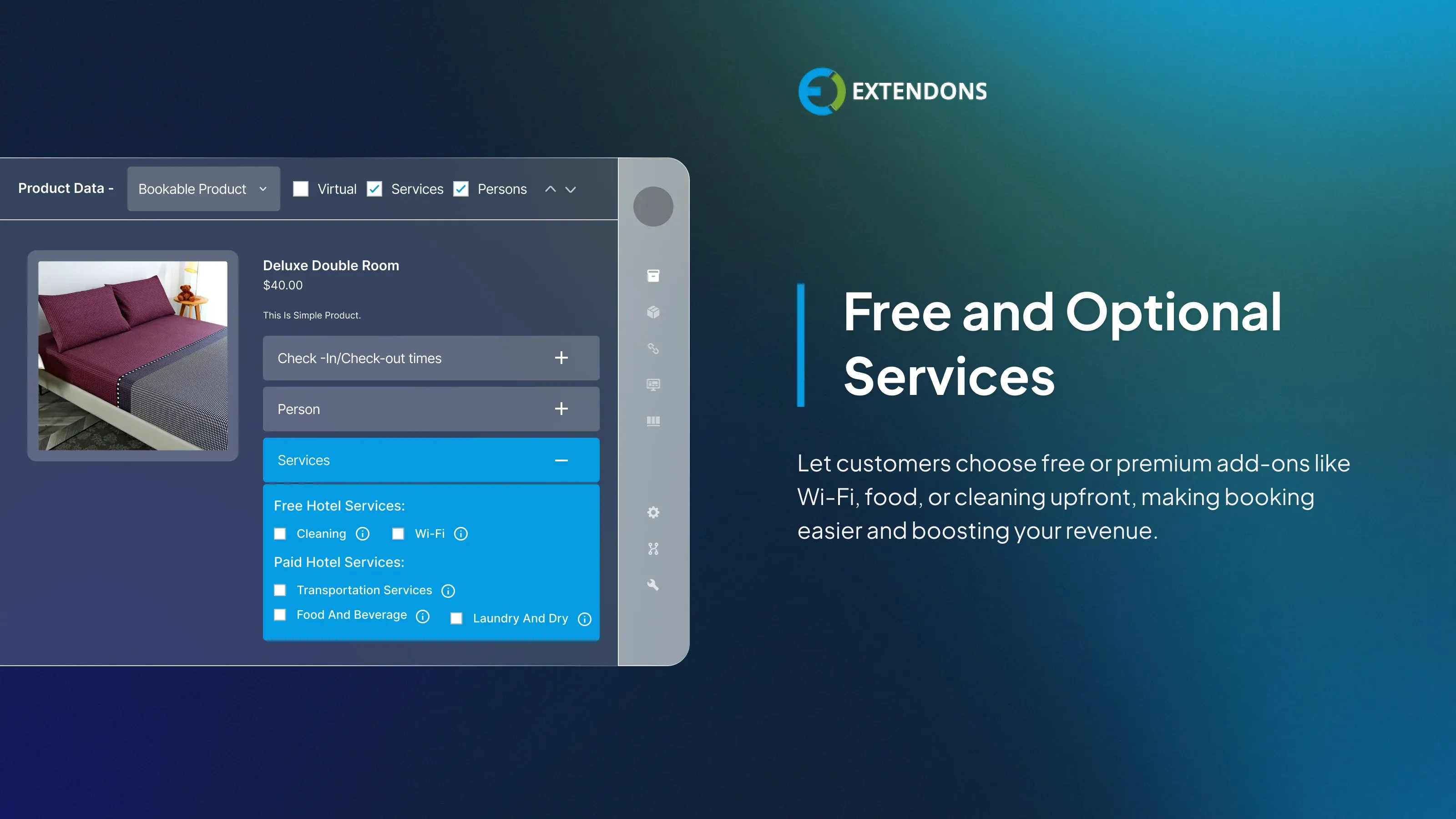
Highlight Optional Services
WooCommerce booking plugin allows you to showcase additional services like cleaning, Wi-Fi, or food with clear labels and pricing. You can mark them as free or paid, giving customers the option to customize their booking and boosting your chances of upselling without interrupting the flow of the checkout process.

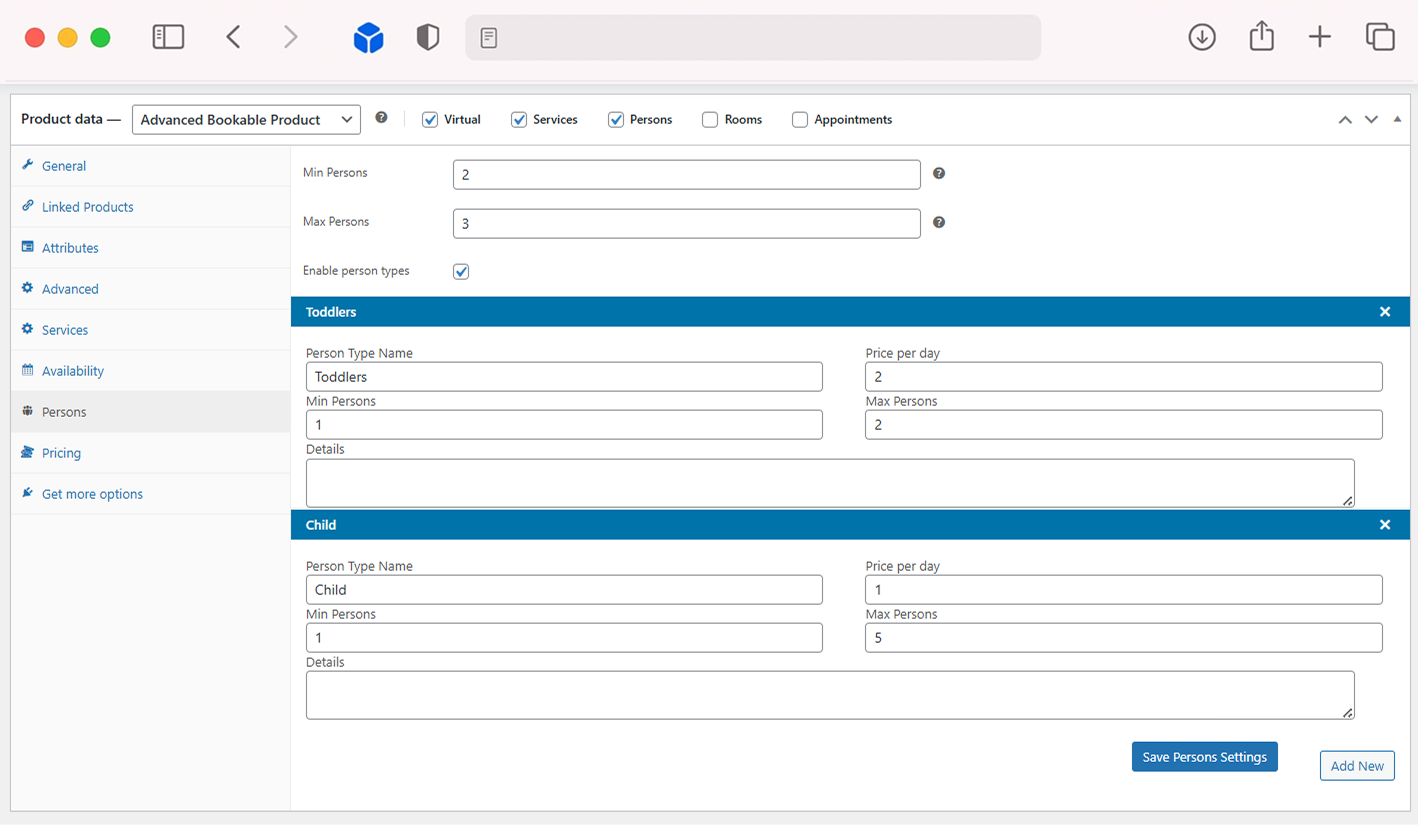
Custom Pricing by Person Type
Set different prices for adults, children, seniors, or custom-defined person types. This allows you to offer customized pricing that reflects your customer base and ensures accurate billing every time.
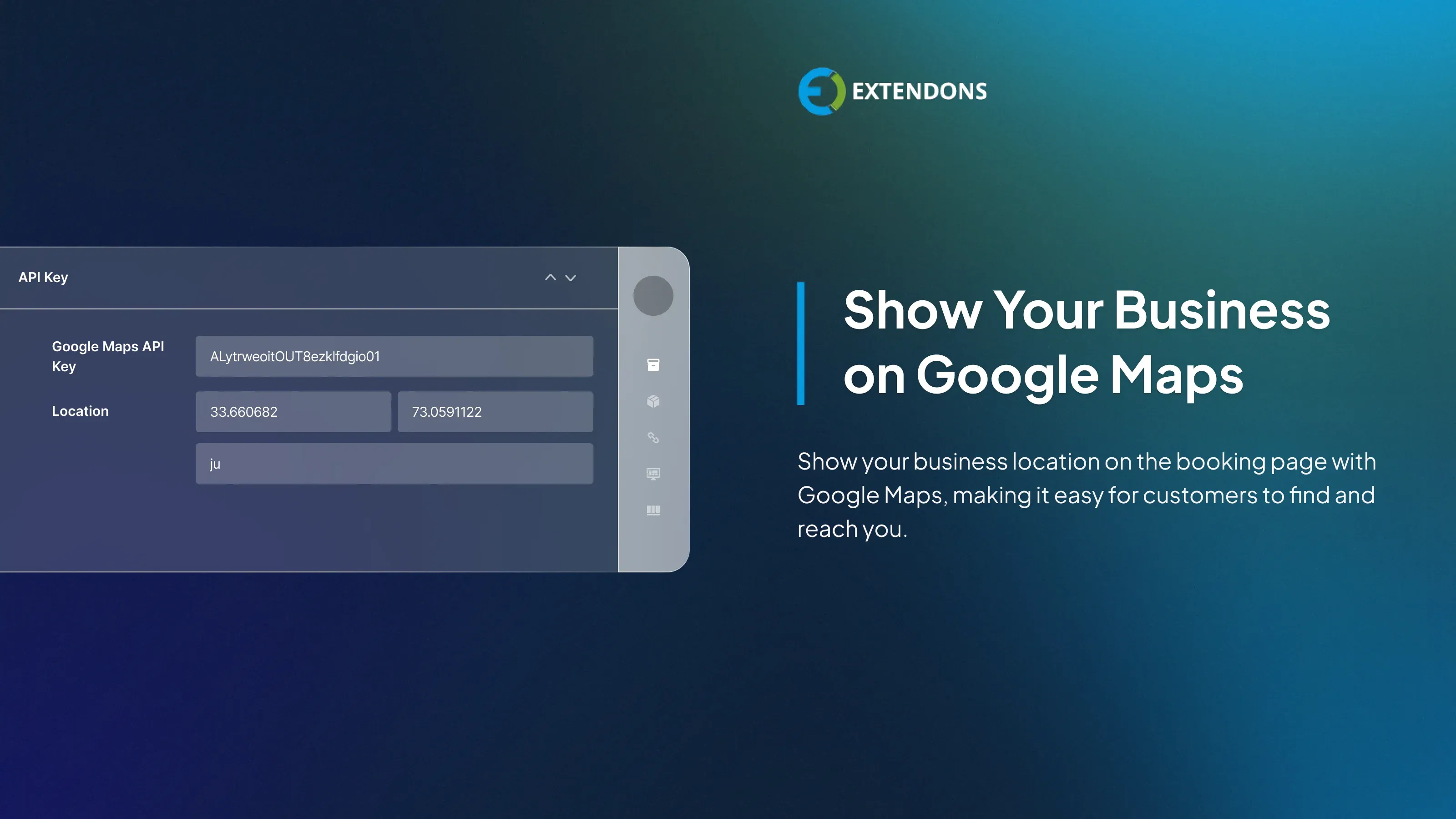
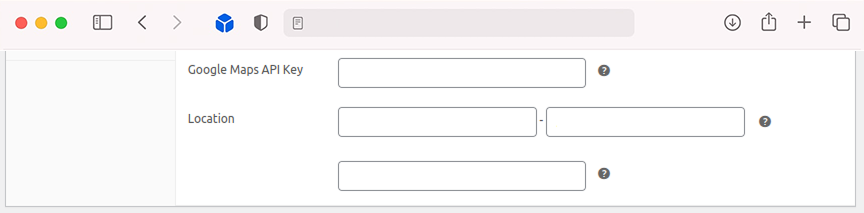
Google Maps Integration
WooCommerce bookings and appointments enable you to easily display your business location on an interactive Google Map. Help customers find your venue quickly with clear directions improving trust, reducing confusion, and enhancing their overall experience.
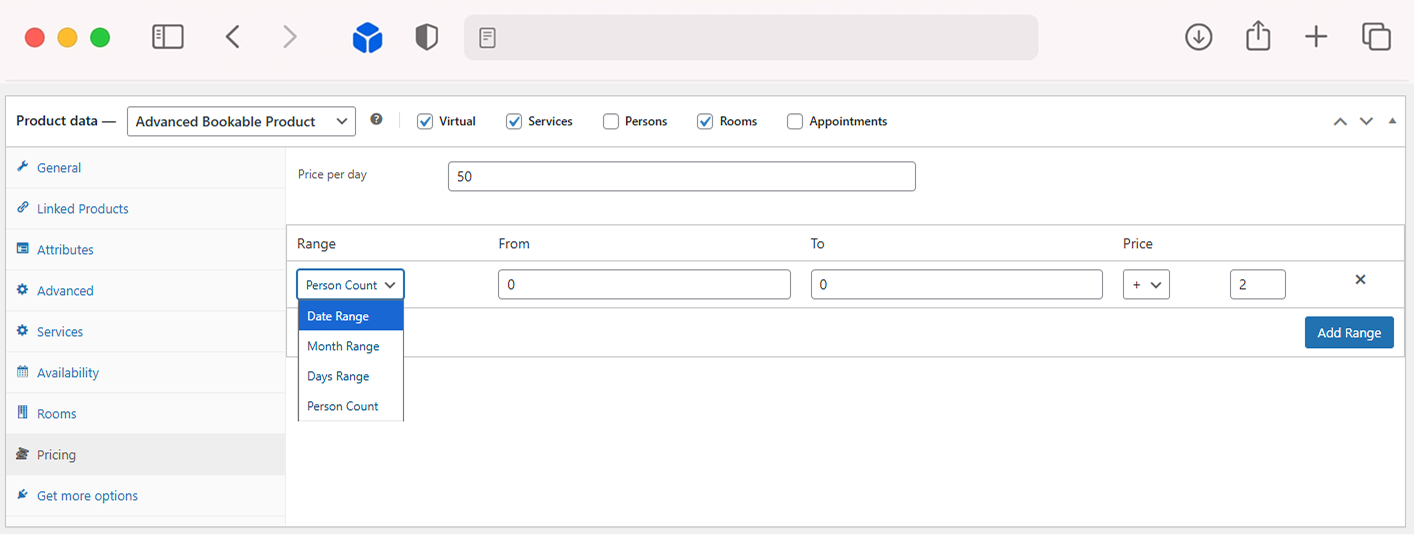
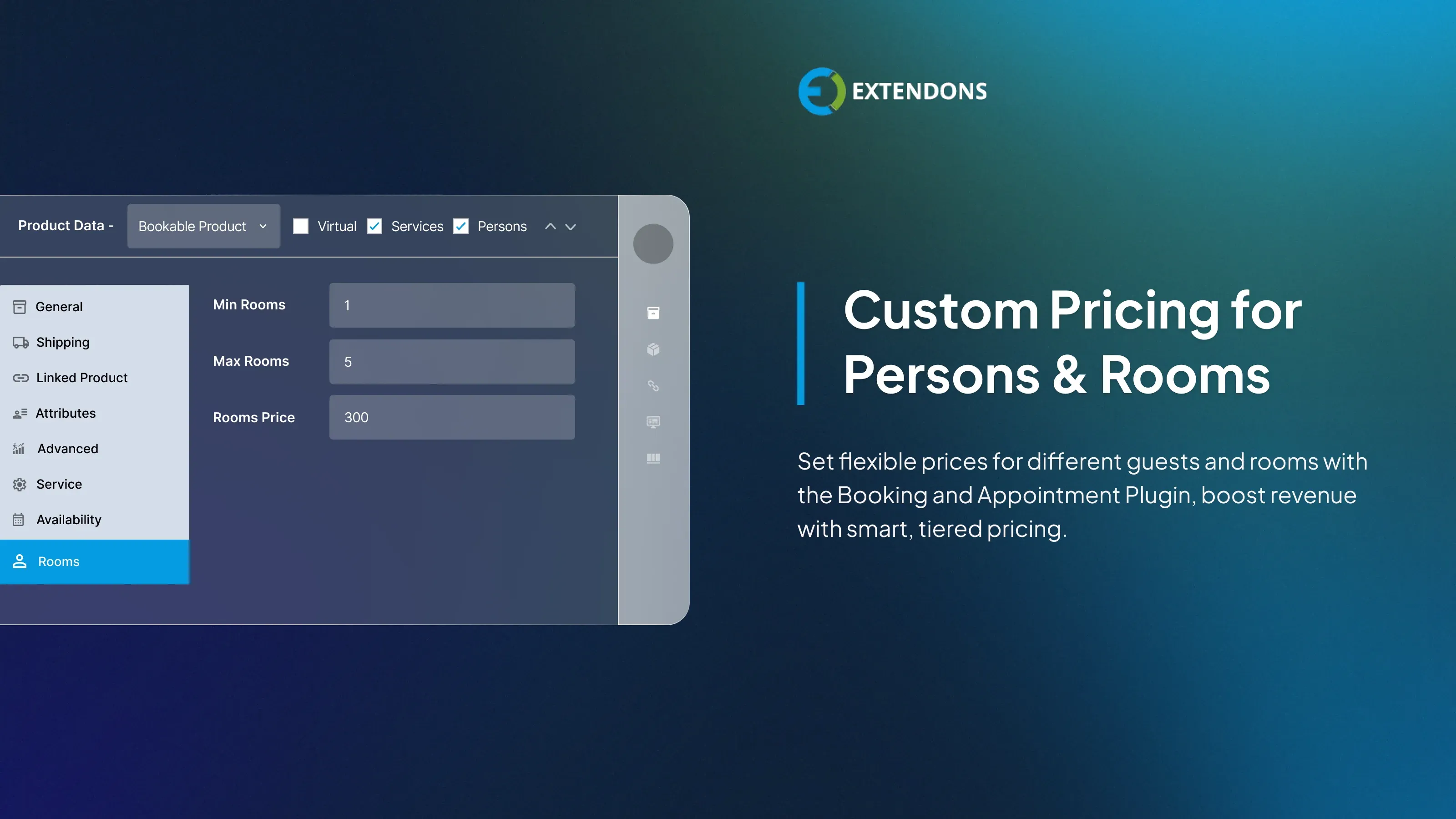
Tiered Pricing for Rooms & Guests
Create flexible pricing structures based on the type of room or number of guests. For example, offer discounted rates for shared rooms or group bookings. This helps you cater to different budgets while maximizing revenue.
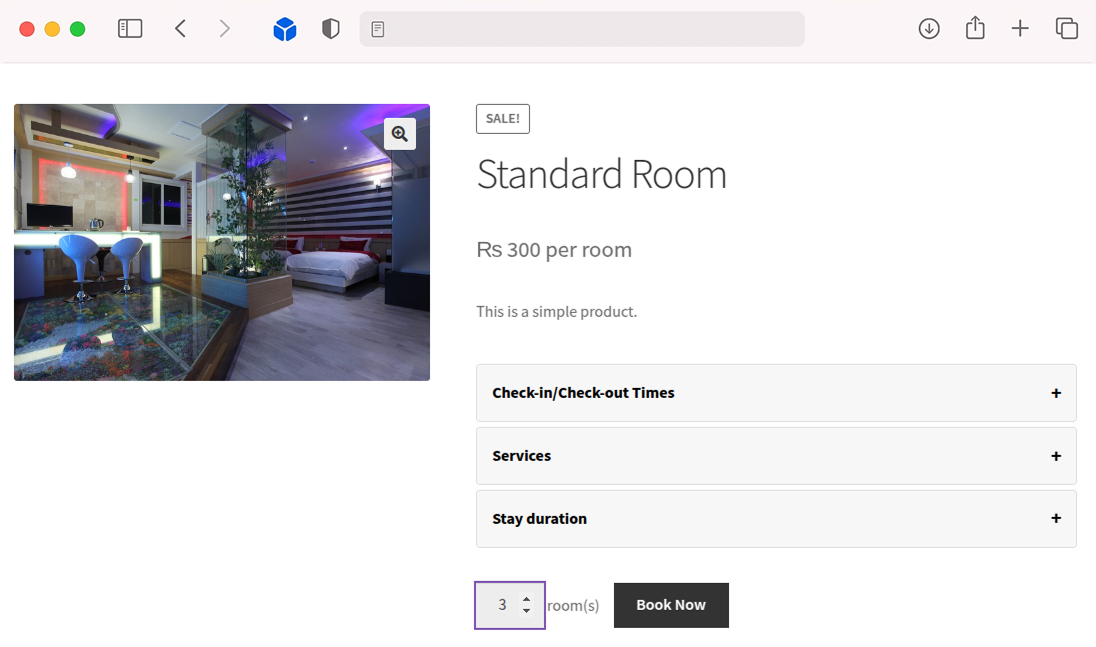
Multi-Room Booking
Allow customers to book multiple rooms or services in one go, perfect for group events, families, or business teams. It simplifies the booking process, saves time, and improves convenience for your users.
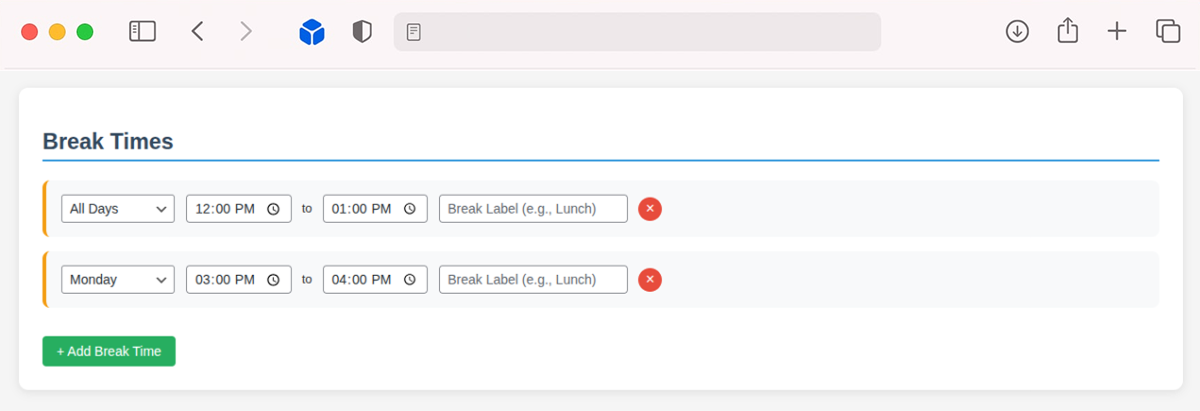
Add Breaks Between Appointments (New)
Make your schedule more manageable by adding breaks between appointment slots. These gaps give you time to prepare for the next client, wrap up a session, or take a break. It helps you stay organized and deliver better service throughout the day.
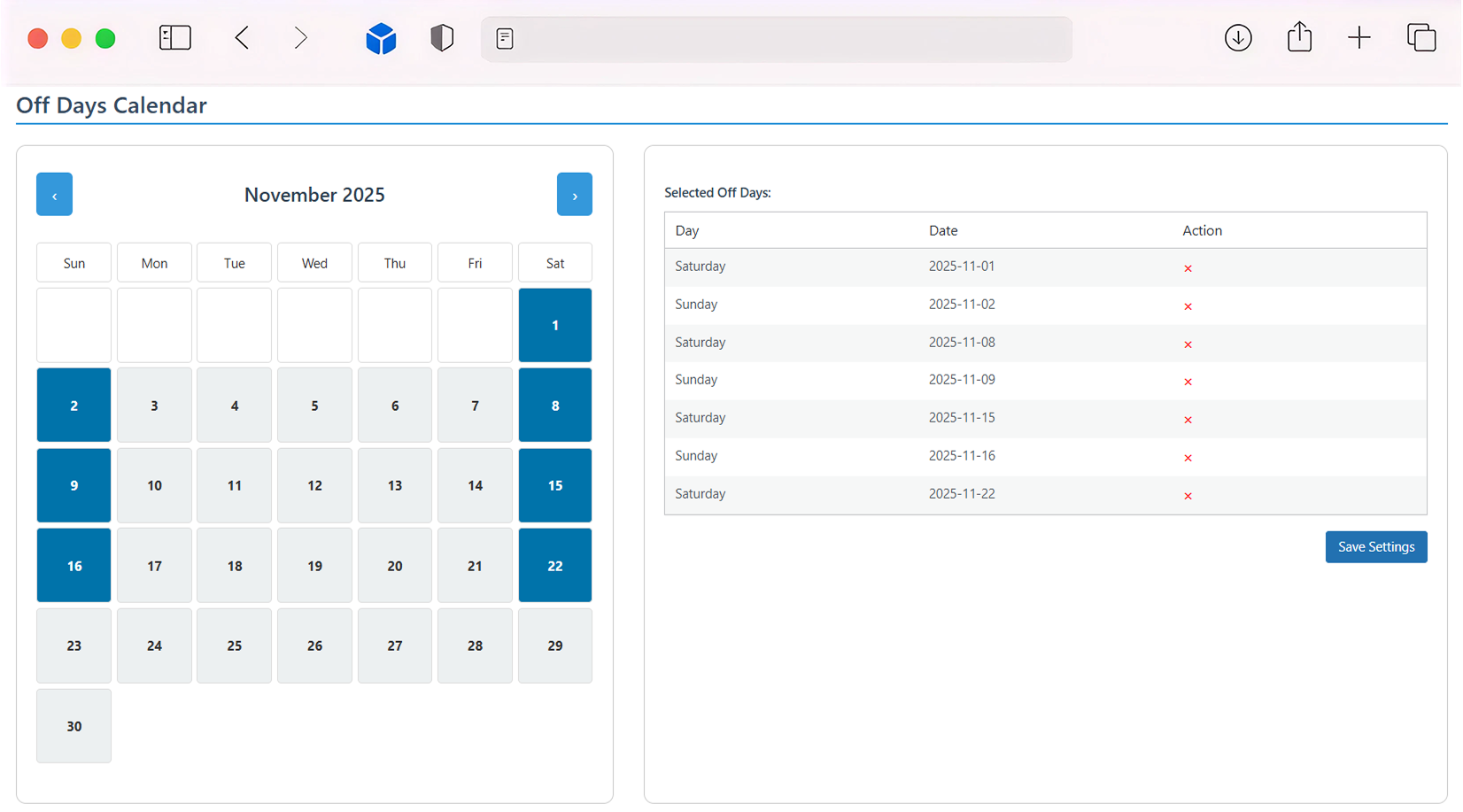
Set Off Days (New)
Booking & appointment plugin for WooCommerce enables you to manage your availability by marking certain days as unavailable. Whether it’s a holiday, weekend, or just a personal day off, you decide when bookings can be made. This helps avoid any confusion and ensures customers only book when you’re open.
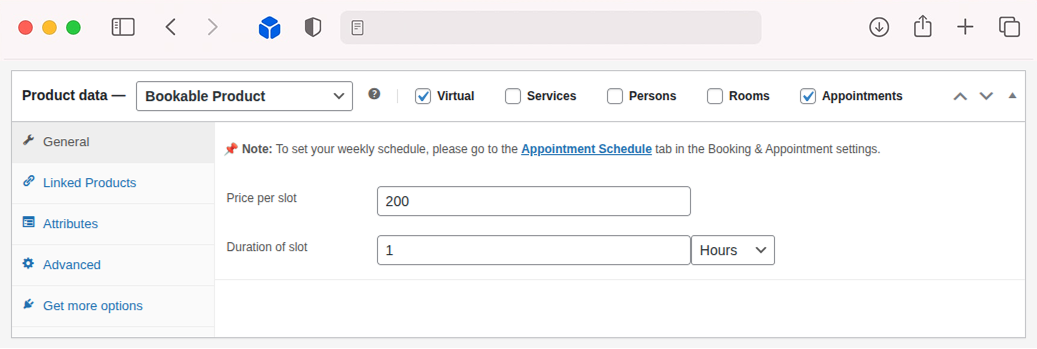
Flexible Slot Pricing and Timing (New)
Set custom pricing for each time slot using WooCommerce appointments. You can easily define how long each session should last, whether it's a short 15-minute consultation or a two-hour service. This gives you full control over both scheduling and pricing.
Manage Staff for Appointments (New)
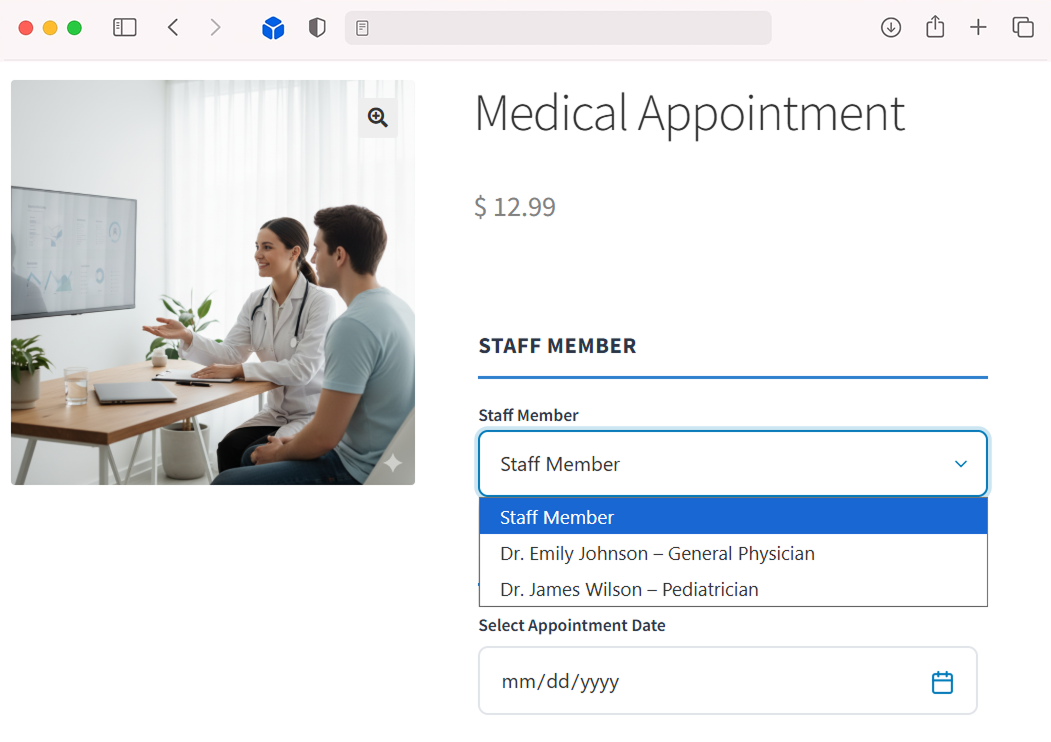
With the Staff Management feature in WooCommerce appointment booking, organizing your team becomes simple. You can add multiple staff members, let customers choose who they prefer during booking, and set each staff member’s availability individually. This helps maintain smooth scheduling and delivers a more seamless booking experience for customers.
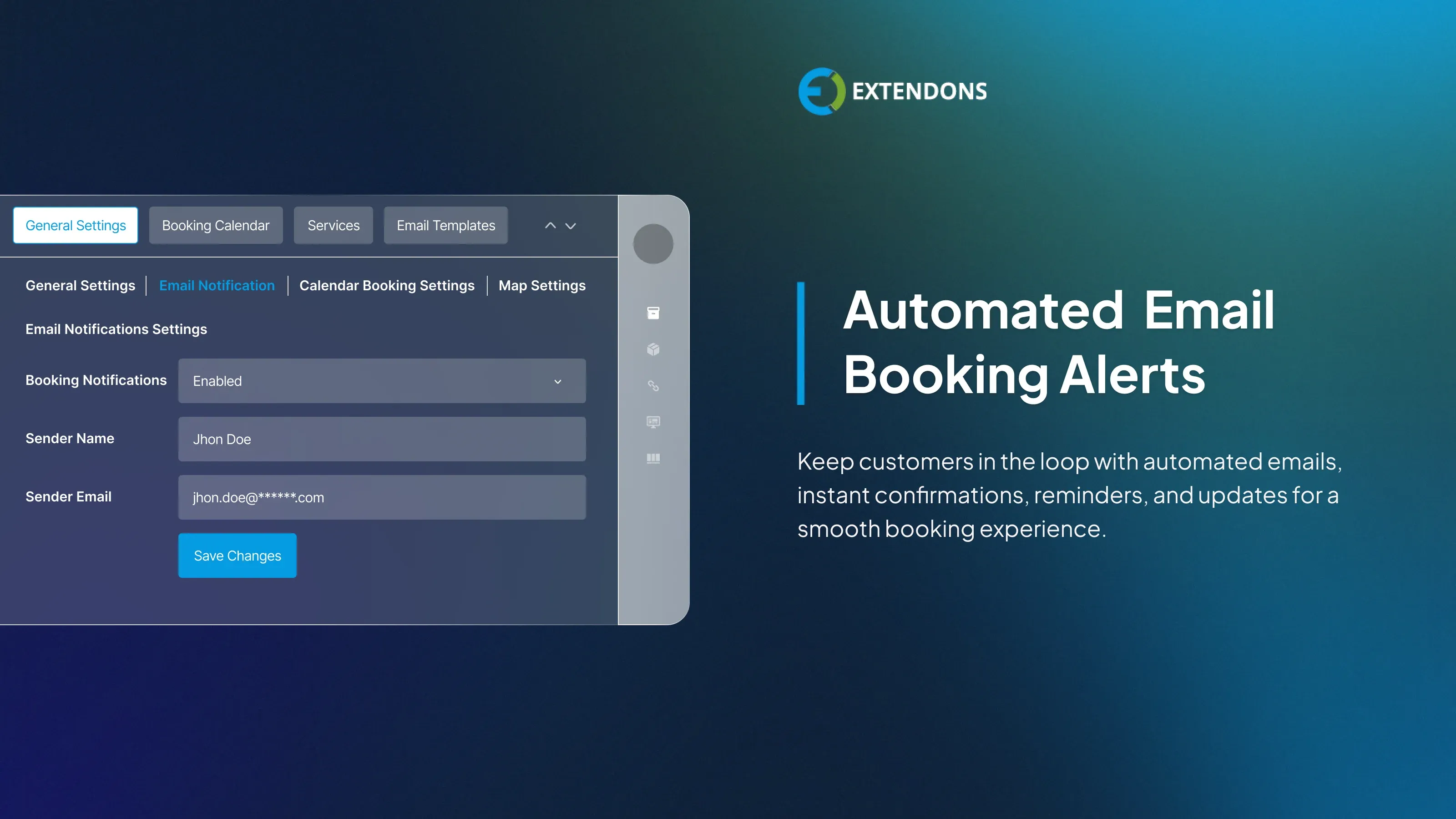
Automated Email Notifications
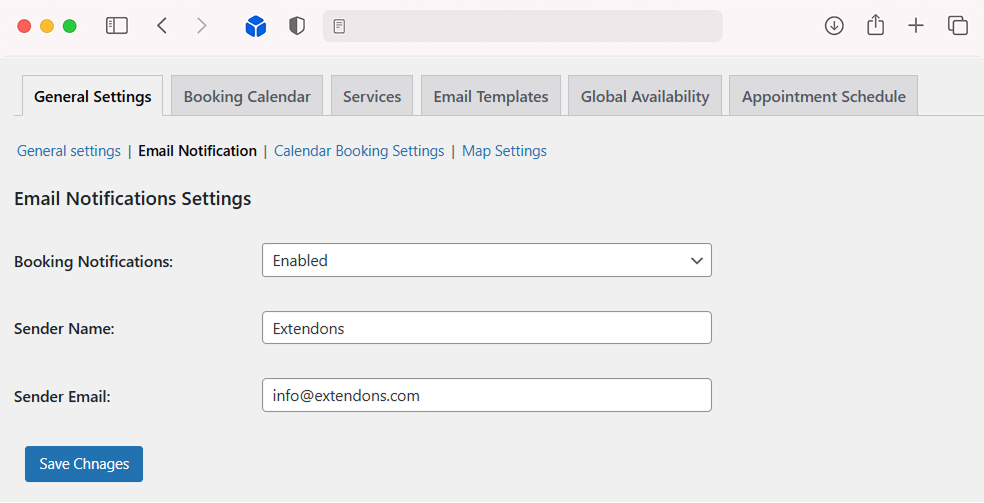
Booking for WooCommerce keeps customers informed with automated emails for booking confirmations, reminders, and status updates. This improves communication, reduces no-shows, and ensures a professional, seamless booking process.
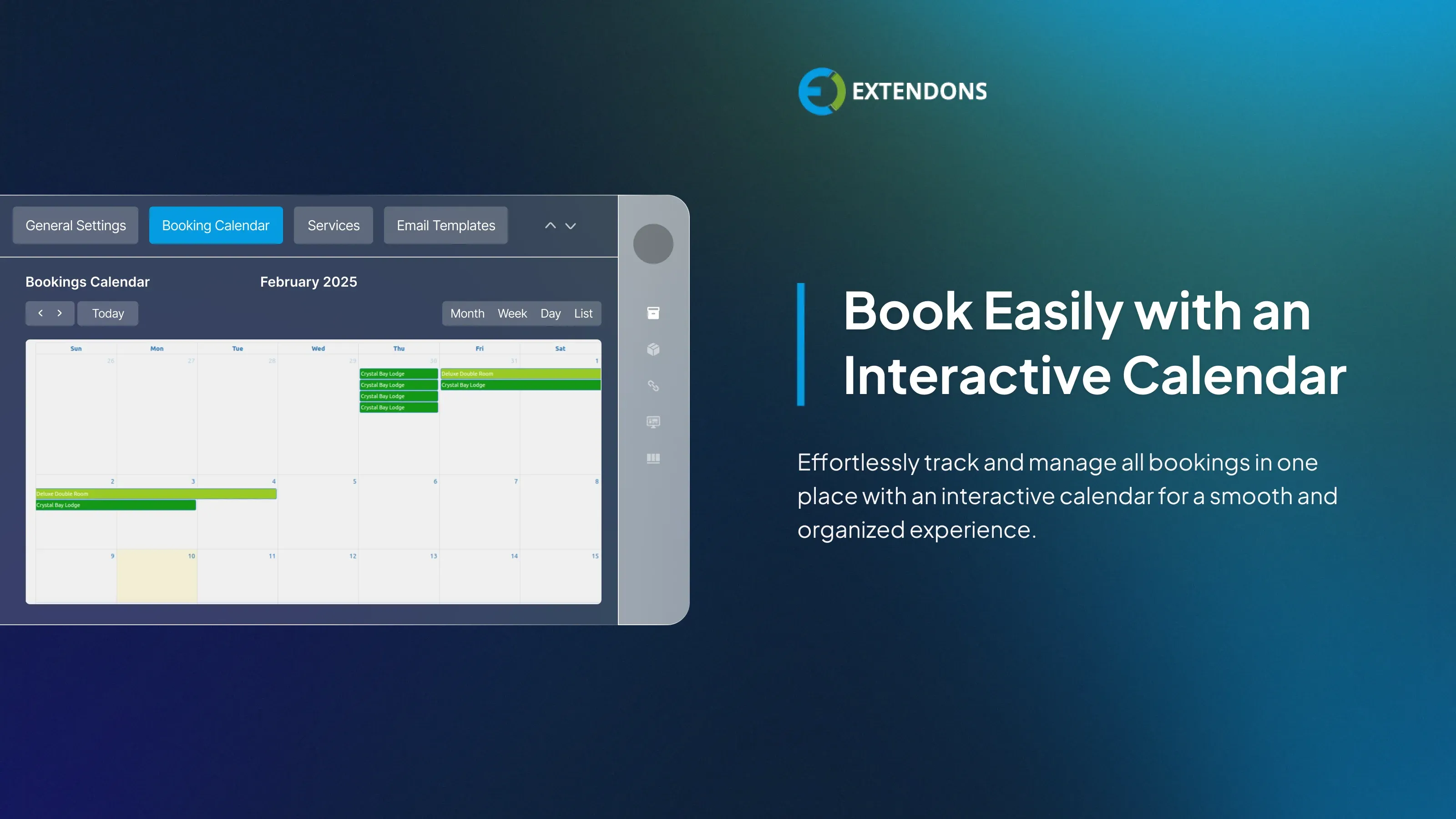
Interactive Booking Calendar
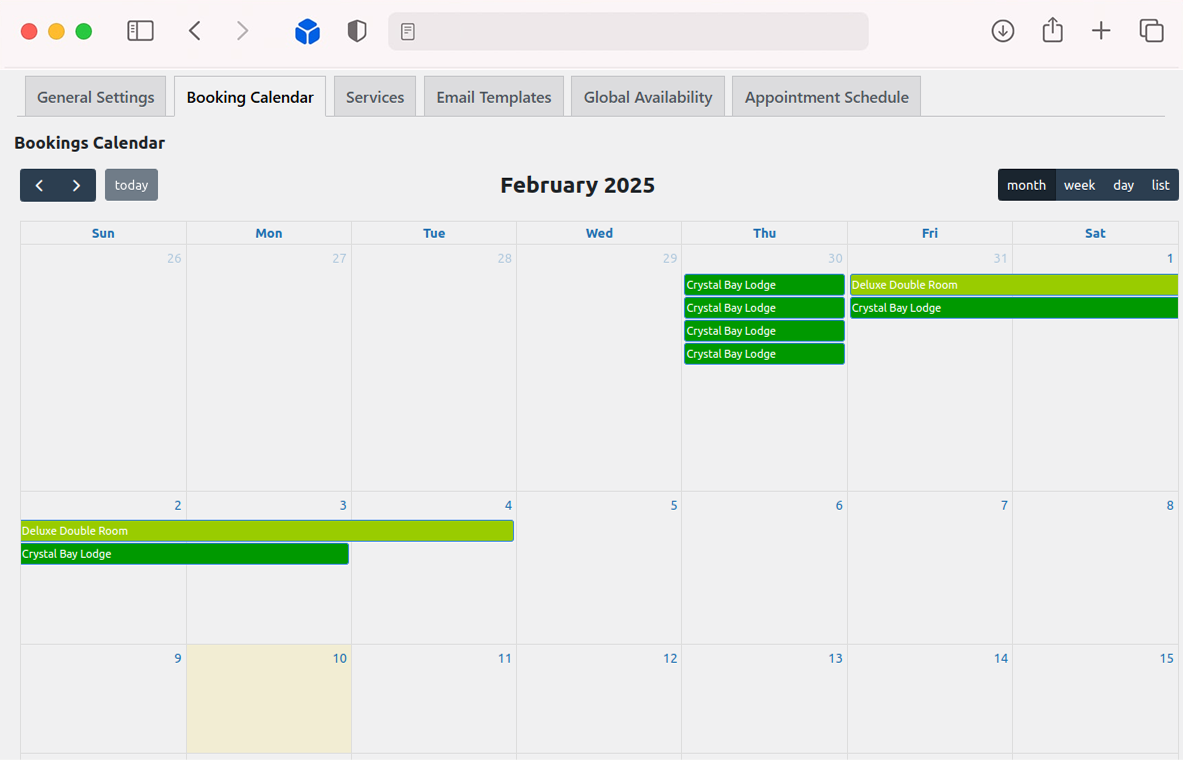
Track and manage all bookings from an intuitive calendar dashboard with WooCommerce booking plugin. View upcoming, current, or past reservations at a glance, making it easier to stay organized and manage your availability with minimal effort.
Review & Rating
Frequently Asked Questions
-
 30-day money back guarantee
-
 Dedicated Support Team
-
 Safe & Secure Free Update
-
 Safe Customized Solutions