- $USD
- English (United States)
- Hire an Expert
- Get Support






Also Sold on

Variation Swatches as Radio Buttons
Replace default dropdown fields on product variations with visually engaging swatches, including radio buttons with colors, images, and text labels.
- Show product variations as radio buttons
- Design radio buttons with colors, images, or text labels
- Map product attributes with radio button types
- Display dual color swatches
- Displa...
Details & Compatibility
Version
1.1.2
Last Update
March 25, 2026
Compatibility
WooCommerce version 2.6.0 or higher | Wordpress version 4.6 or higher
Support
12 months support from extendons
Whats Include
- 1-year extension updates
- 30-day money-back guarantee
$0.00
Customize this Plugin
CustomizeMain Feature
Variation Swatches for WooCommerce replaces standard dropdowns with clean, interactive swatches that blend naturally with your store's theme. Display product options as color swatches, image thumbnails, or text labels for a more engaging shopping experience. Customers can instantly identify available variations and select the right option with ease. You can also generate and share a direct link to any specific product variation.

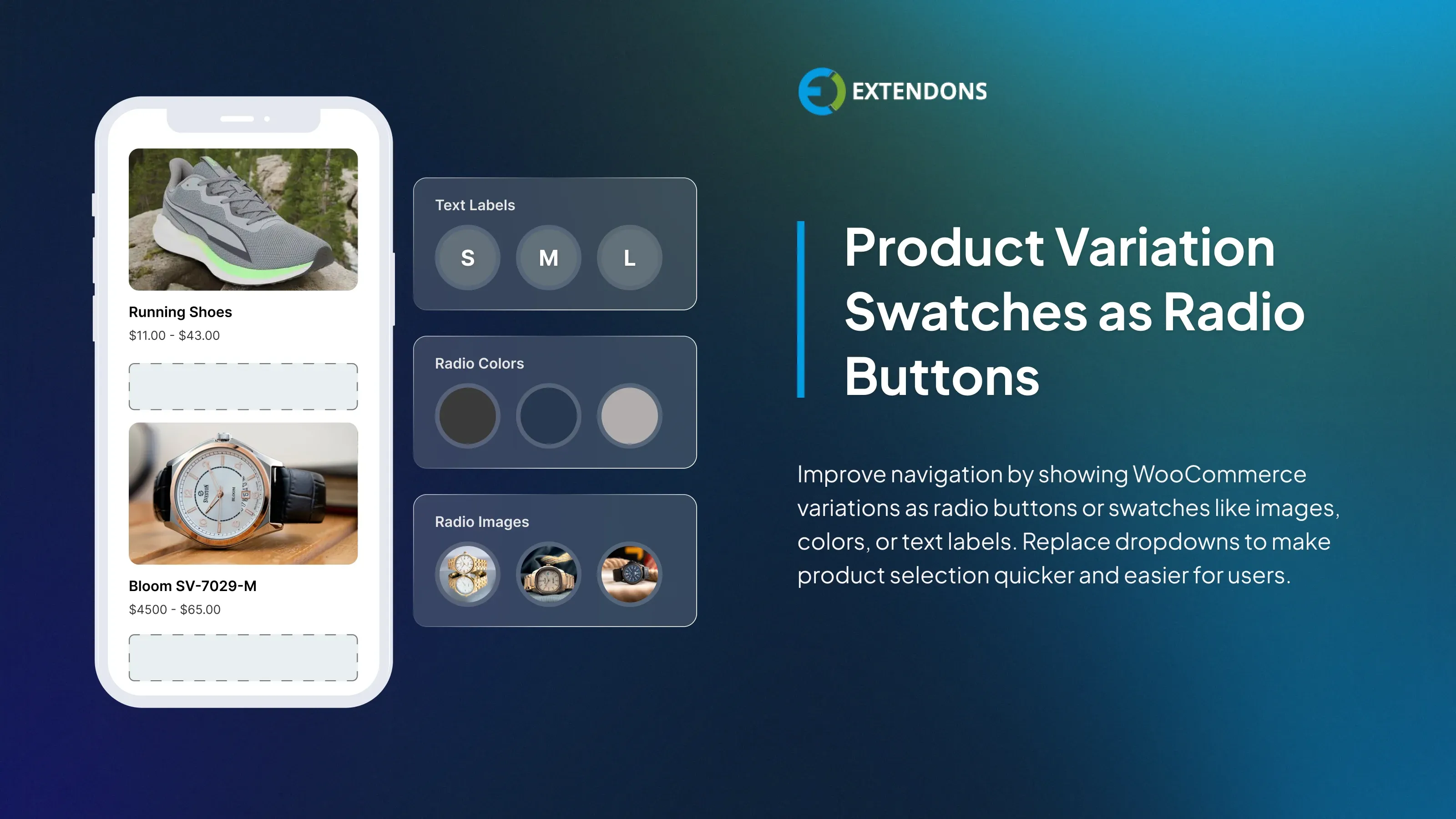
Product variations as radio buttons

Colors Radio Buttons

Images Radio Buttons

Text Labels Radio Buttons

Customize the Swatches

Dual Color Swatches
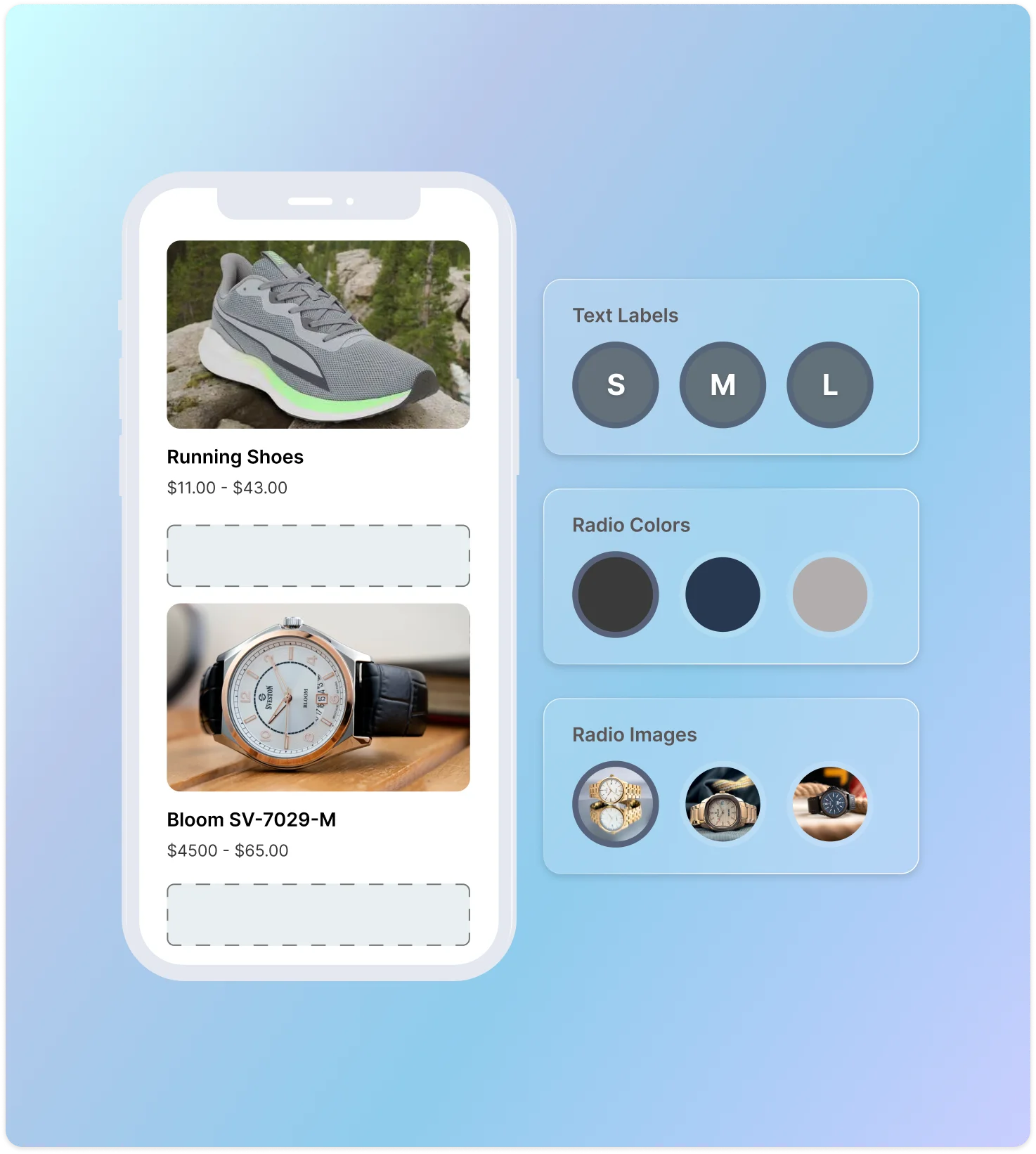
Display Product Variation Swatches as Radio Buttons
WooCommerce variation swatches simplify user navigation on the shop page. You can display variation swatches as radio buttons. Instead of the default dropdown selection and add different types of attribute swatches, such as images, colors, or text labels.
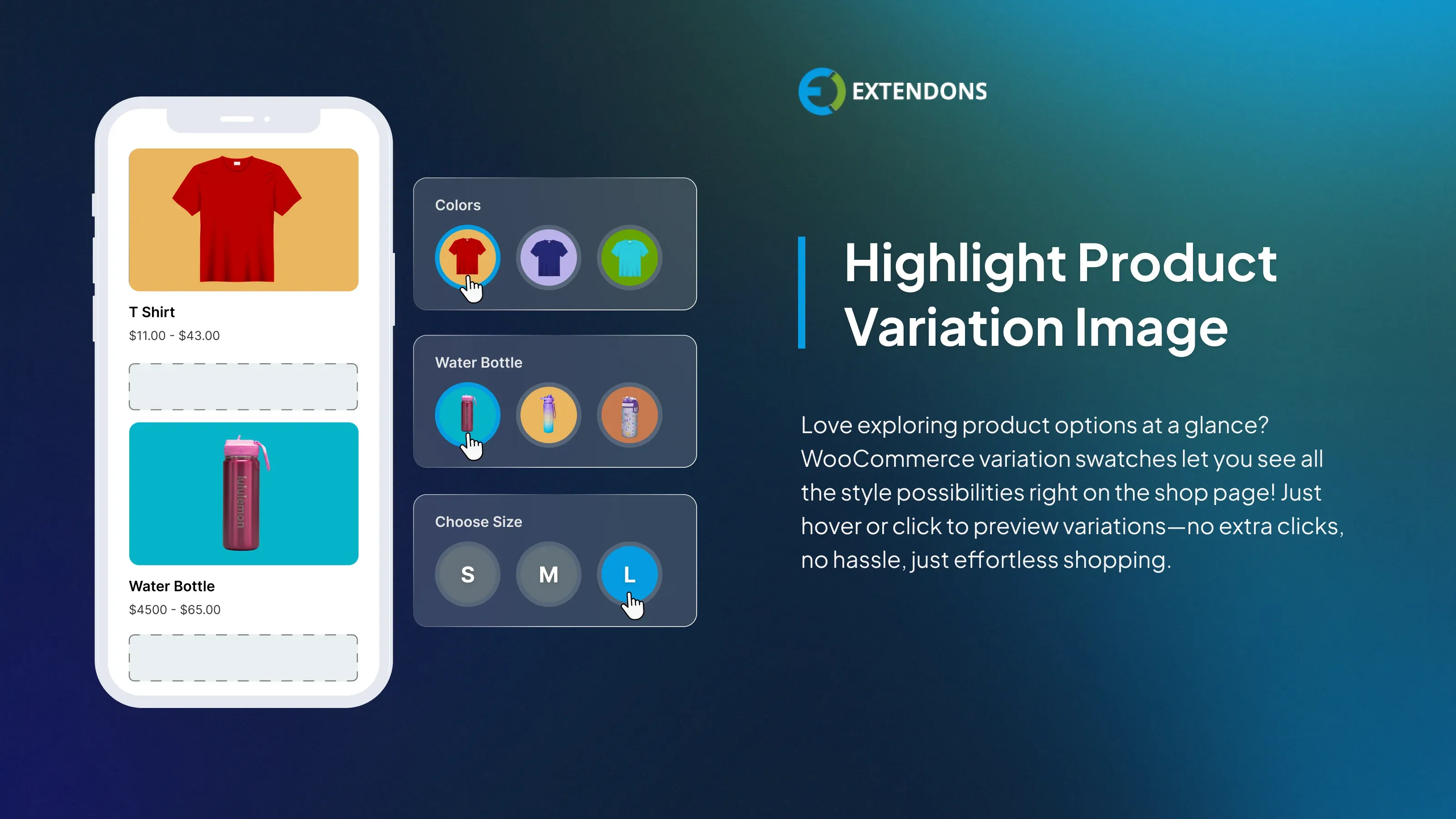
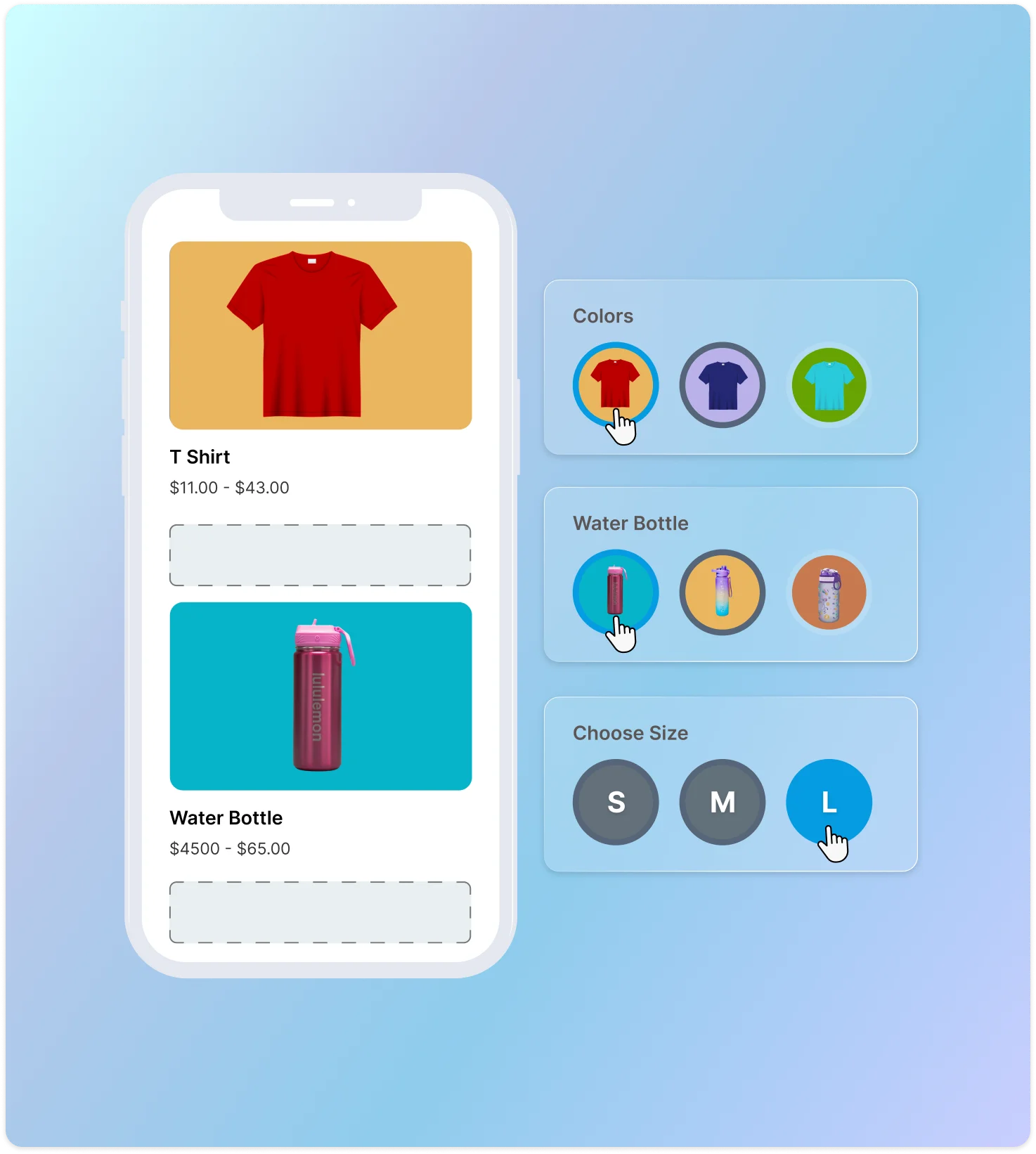
Make the Product Variation Image Stand Out
Variation swatches for WooCommerce allow you to highlight product variations using image radio buttons. You can place these buttons beneath the gallery images on the shop page. When users hover over or click on the buttons, they can preview the product variations. This allows users to quickly preview product variations without leaving the shop page.
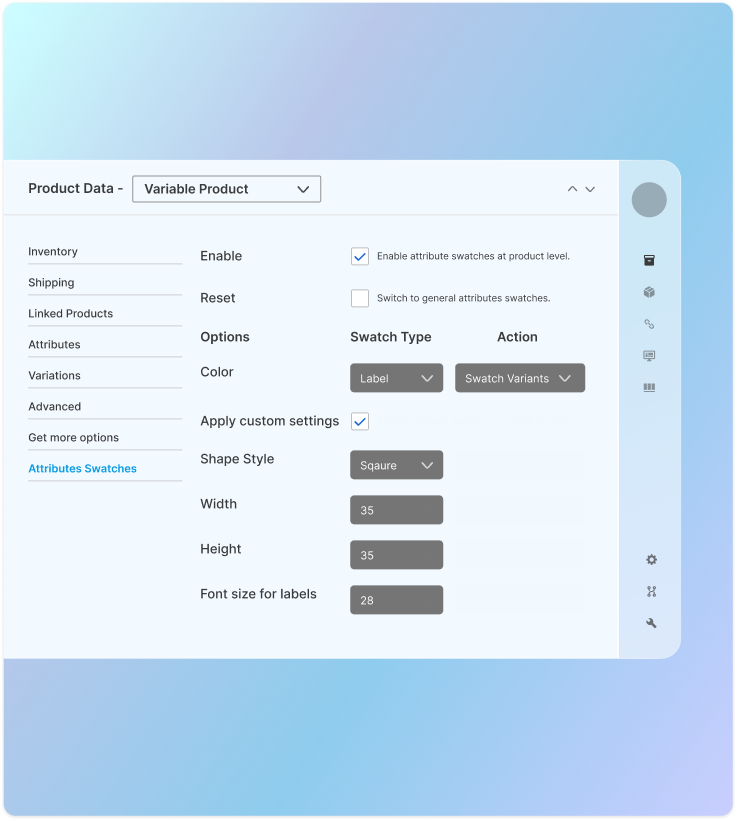
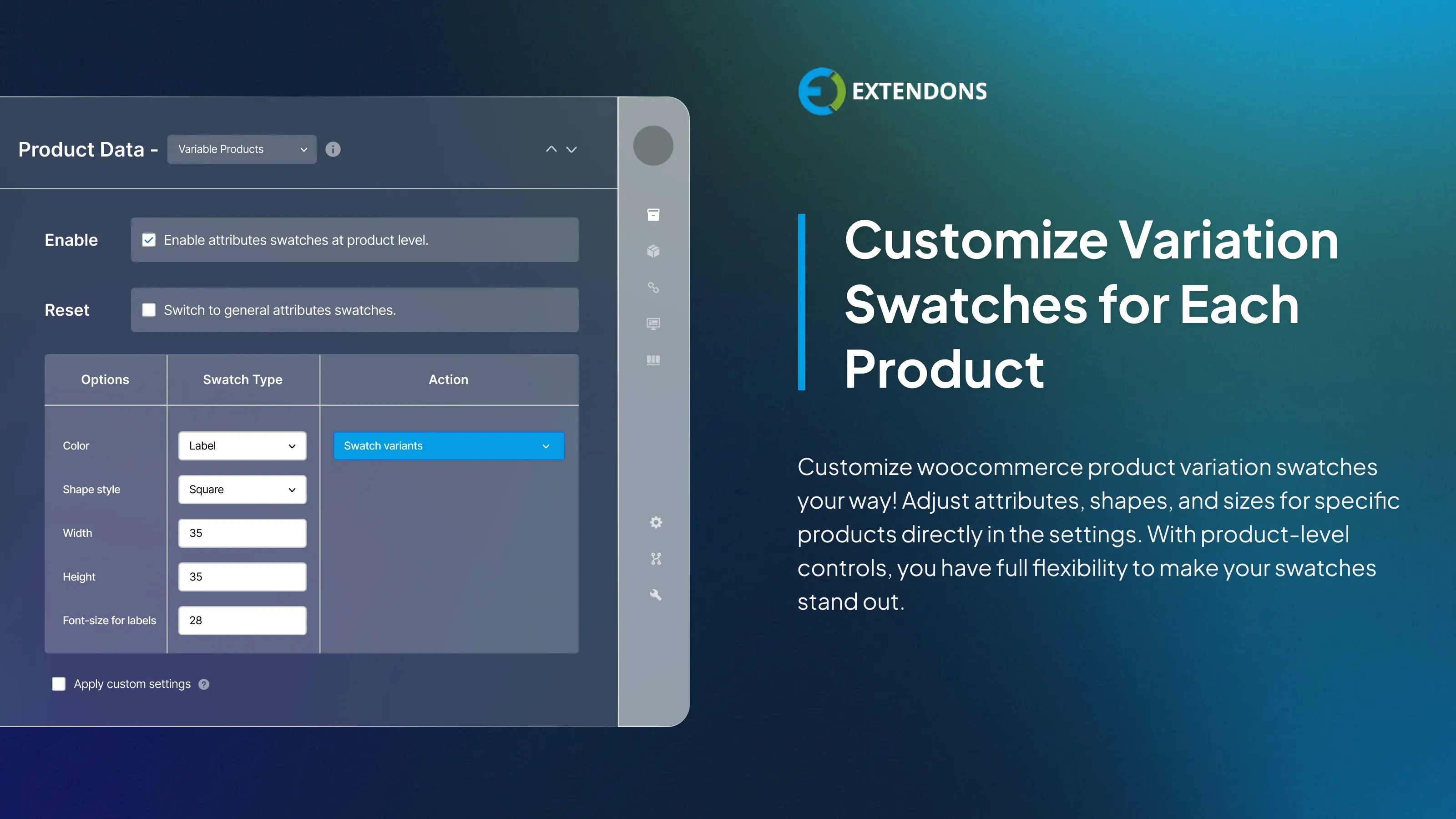
Create variations swatches for specific products
Customize the swatches for specific products in the product settings. You can add or remove the variation attribute and adjust the shape as needed. The WooCommerce swatches plugin also enables you to customize the size of specific swatches for the product page. However, product-level settings have priority over general settings.
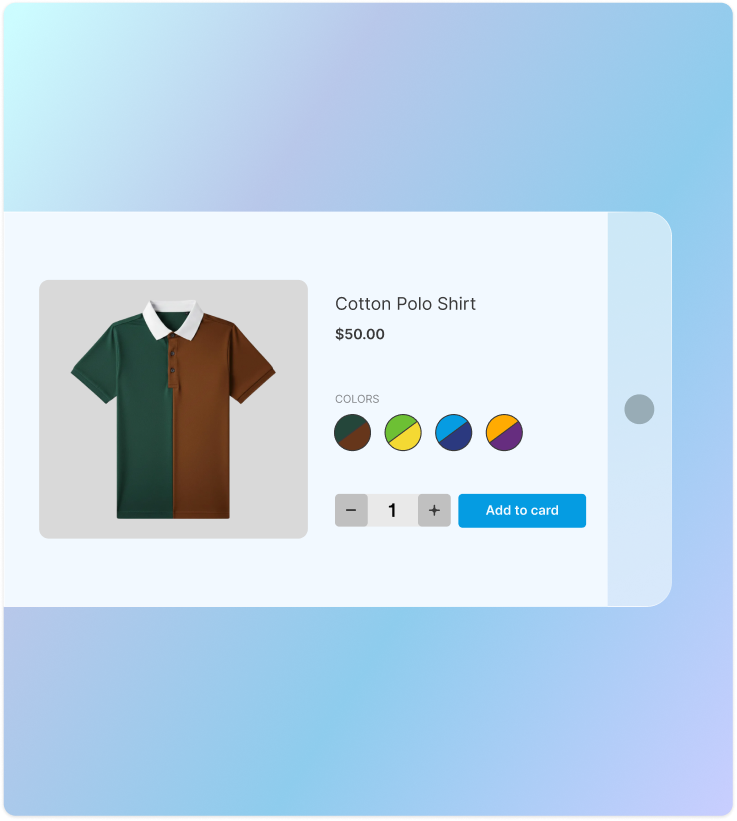
Dual Color Variation Swatches
Showcase two colors in a single variation swatch to perfectly represent dual-tone products. With Dual Color Variation Swatches, you can assign two shades to one attribute instead of creating multiple swatches. This gives customers a clear and accurate view of multicolored product options right on the product page.
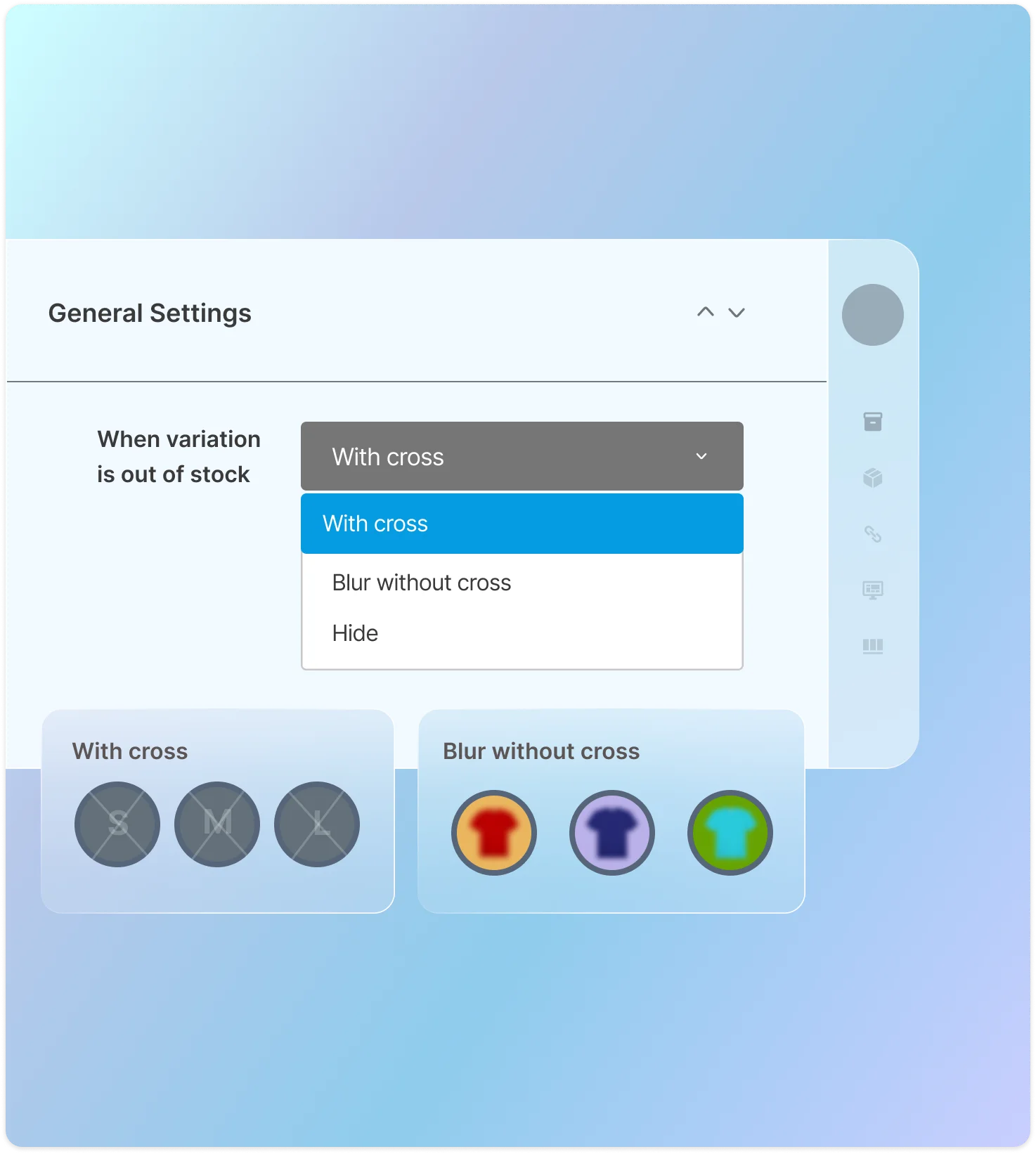
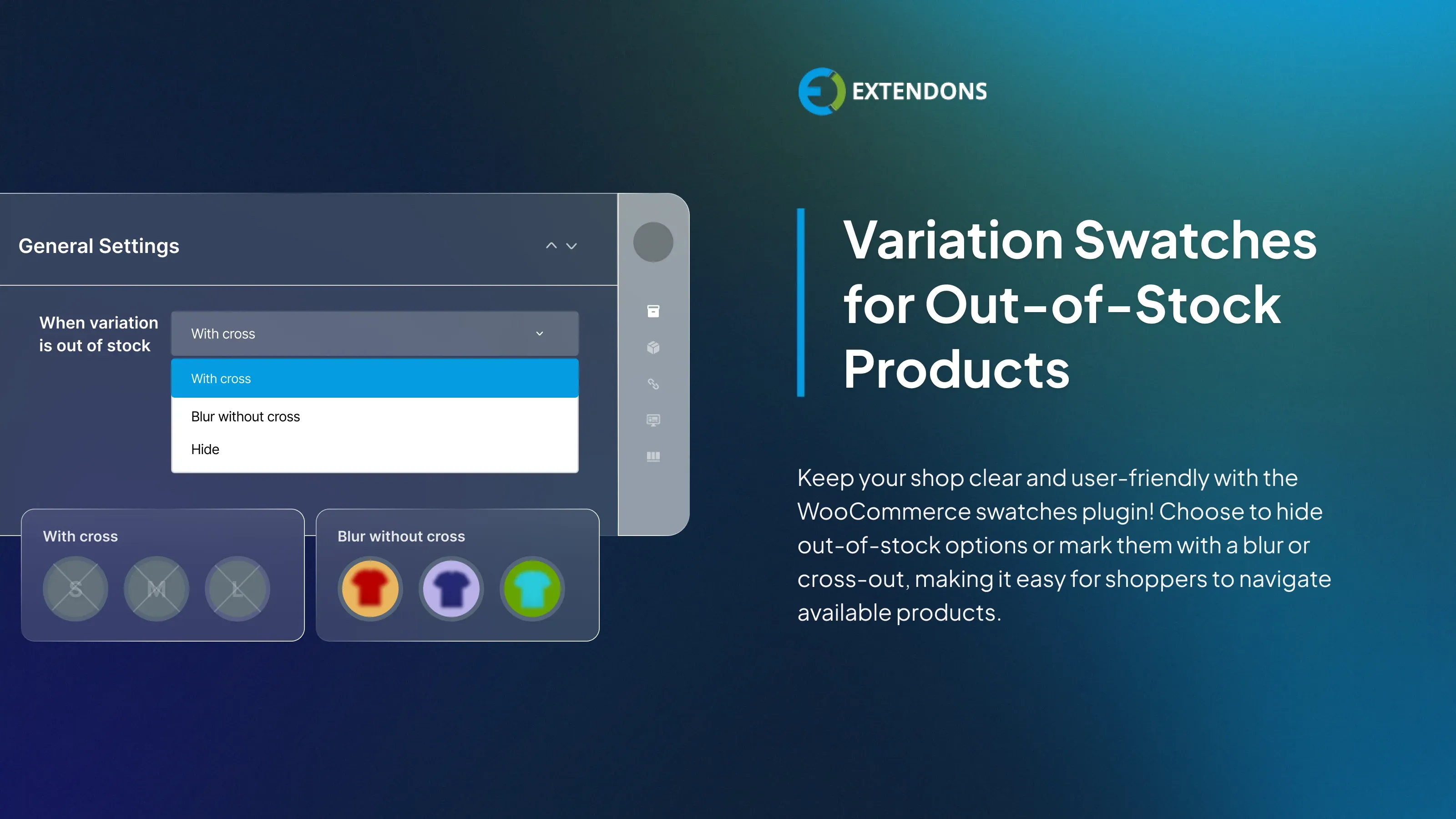
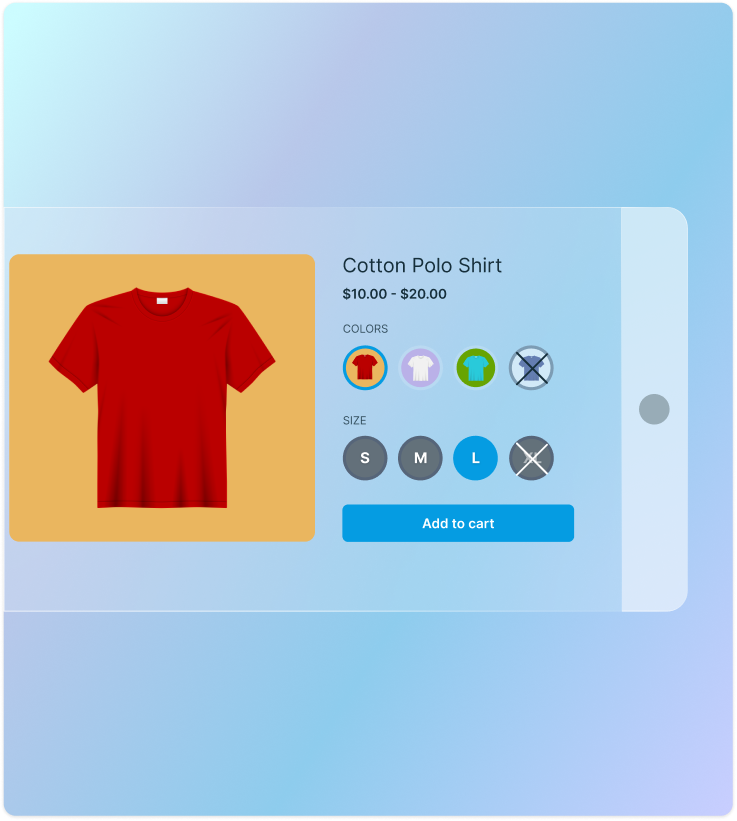
WooCommerce Variation Swatches for Out-of-Stock Products
The WooCommerce variations as radio buttons plugin allows you to display multiple radio buttons for out-of-stock products. It enables you to hide, blur, or cross out variations that are out of stock to let your customers know if a product variation is not available.
Display Swatches Buttons for All or Selected Products
The variation swatches for WooCommerce plugin let you display radio buttons on selective product variations. You can choose to display radio buttons on all variable products, all variable products except for specific products, or specific variable products.
- All variable products
- All variable products except for X
- Specific variable products

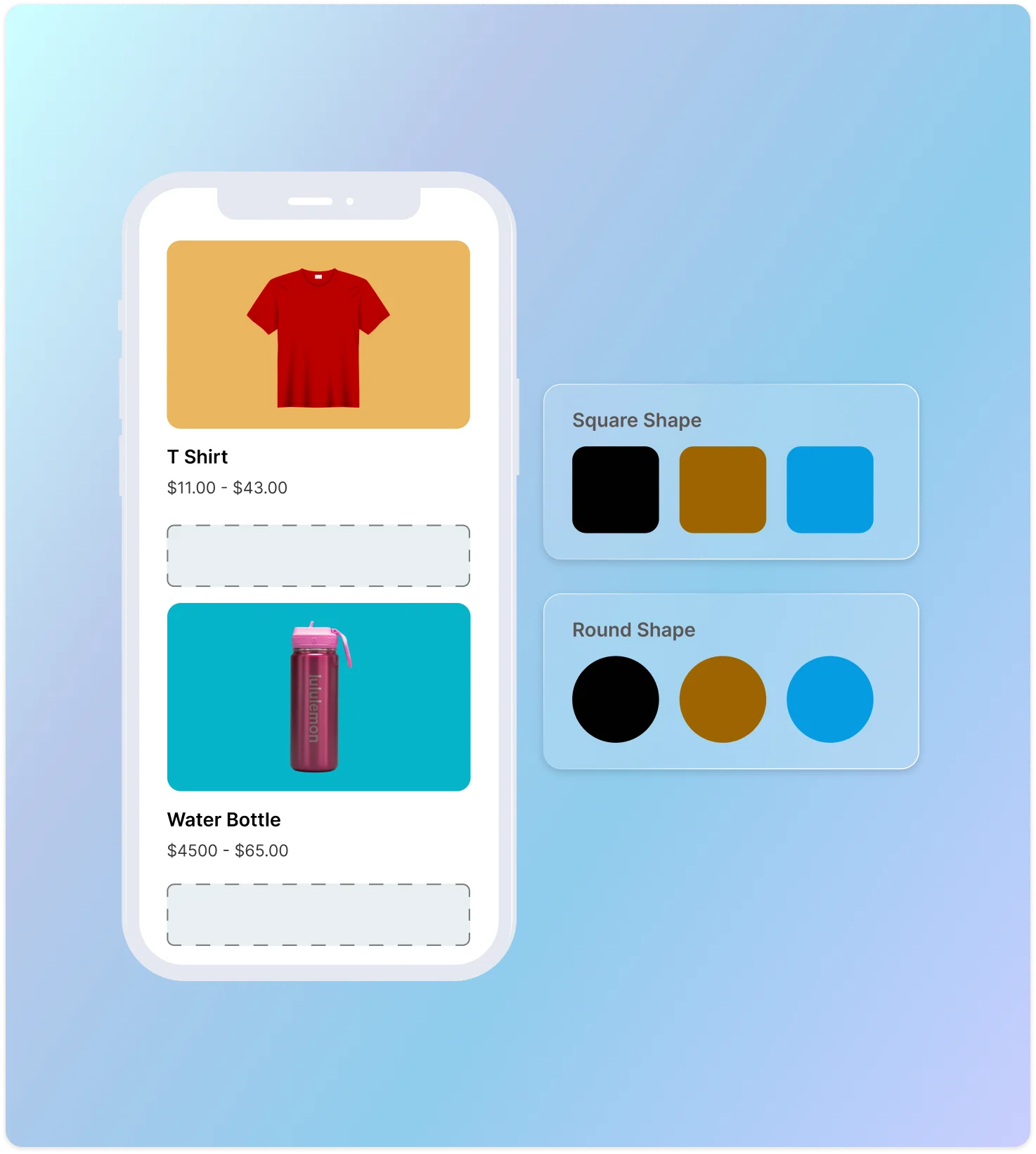
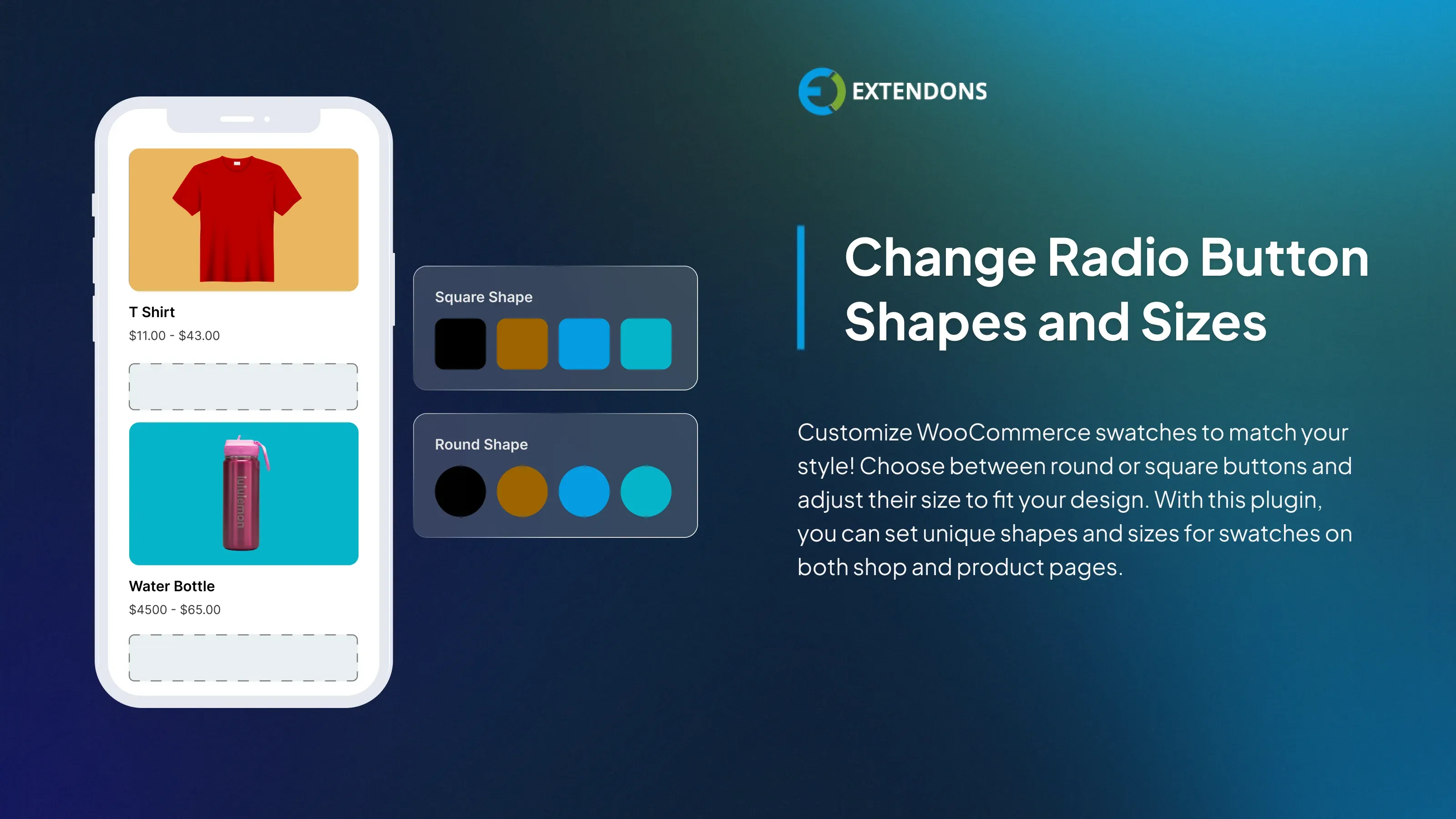
Change the Shape and Size of radio buttons
WooCommerce variation swatches and photos plugin lets you customize the shape and size of the radio buttons. You can choose between round and square buttons, and you can set the width and height. This way, you can create radio buttons according to your preference.
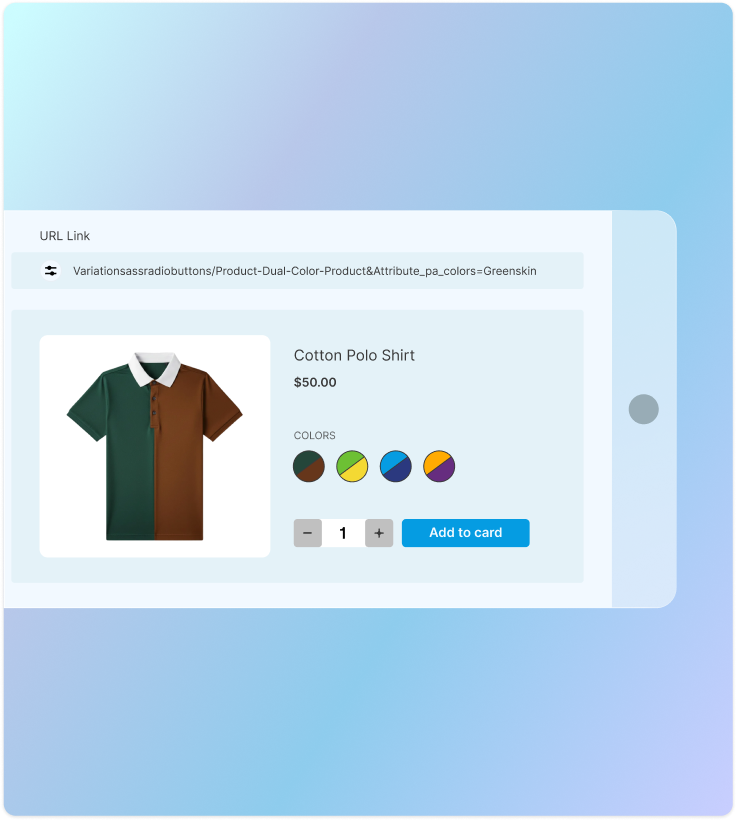
Generate Product Variations URL
Create a unique URL for each product variation and its attributes to share directly with customers. When clicked, the link takes customers straight to the selected variation without requiring them to choose options again, ensuring a faster and more seamless shopping experience.
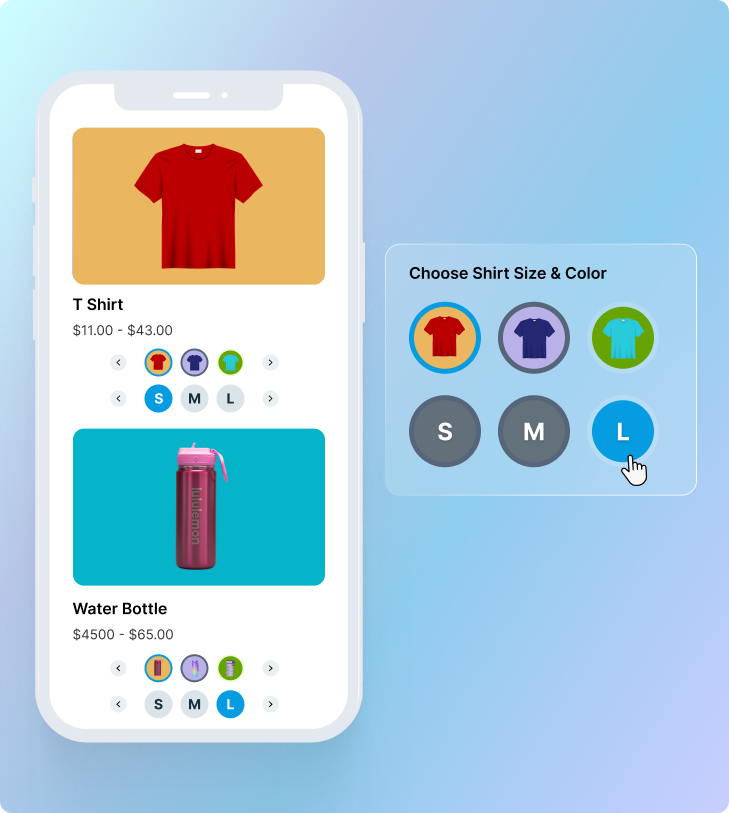
Show All Attributes on the Shop Page
Enable customers to browse and select product variations such as size or color, directly from the shop page. They can choose their preferred option and add items to the cart instantly, without opening individual product pages.
Update Product Variations Without Leaving the Cart
Give customers the flexibility to change product options such as size, color, or style directly from the cart page. Selections update instantly, creating a smoother and faster path to checkout. This keeps customers engaged and helps reduce cart abandonment.

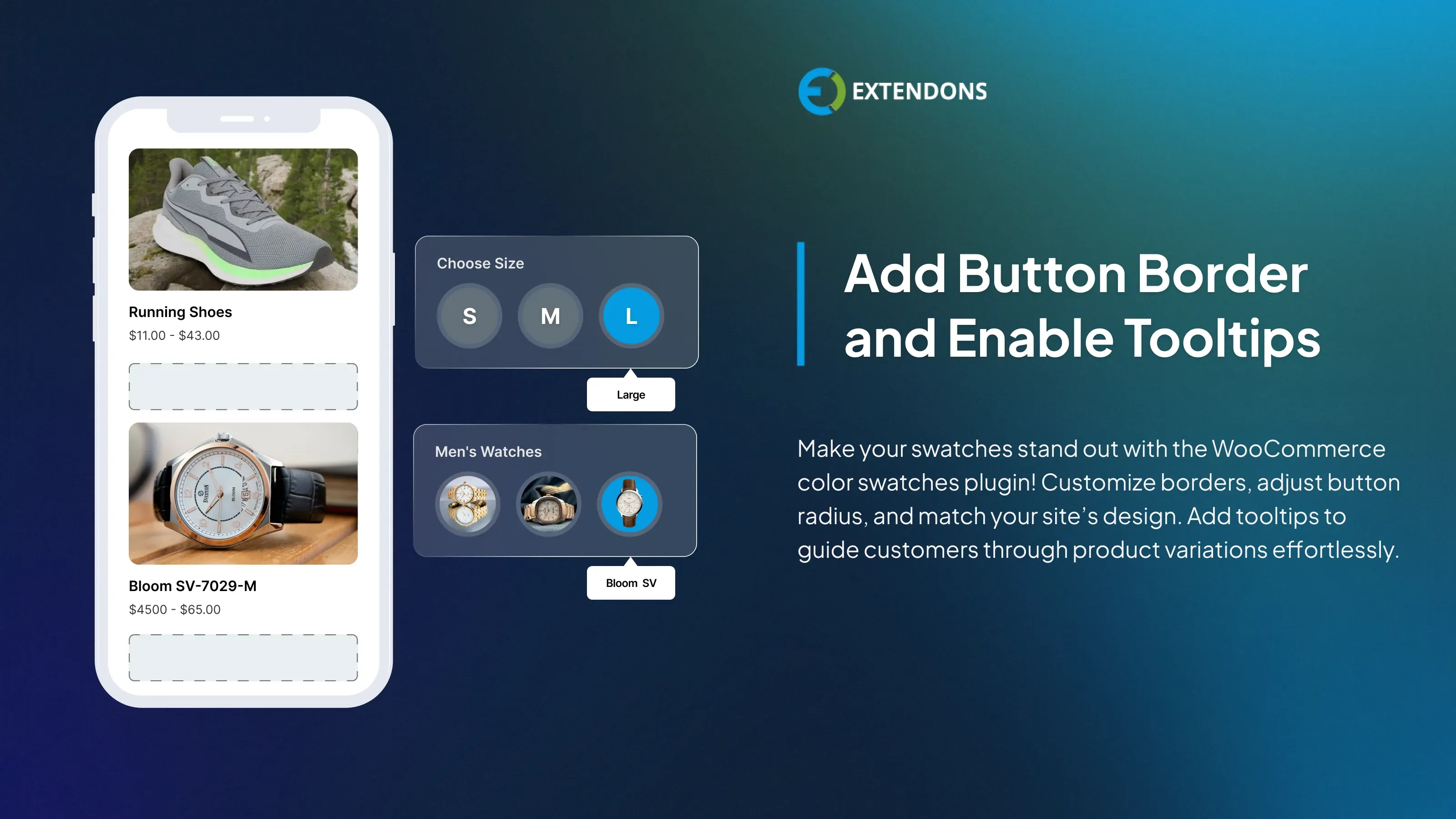
Enable swatches border and tooltips
The WooCommerce swatches plugin lets you customize the look of the radio buttons. You can add a border, change the border radius, and enable tooltips. It allows you to align radio buttons with your website's appearance and makes product variations easier to understand.
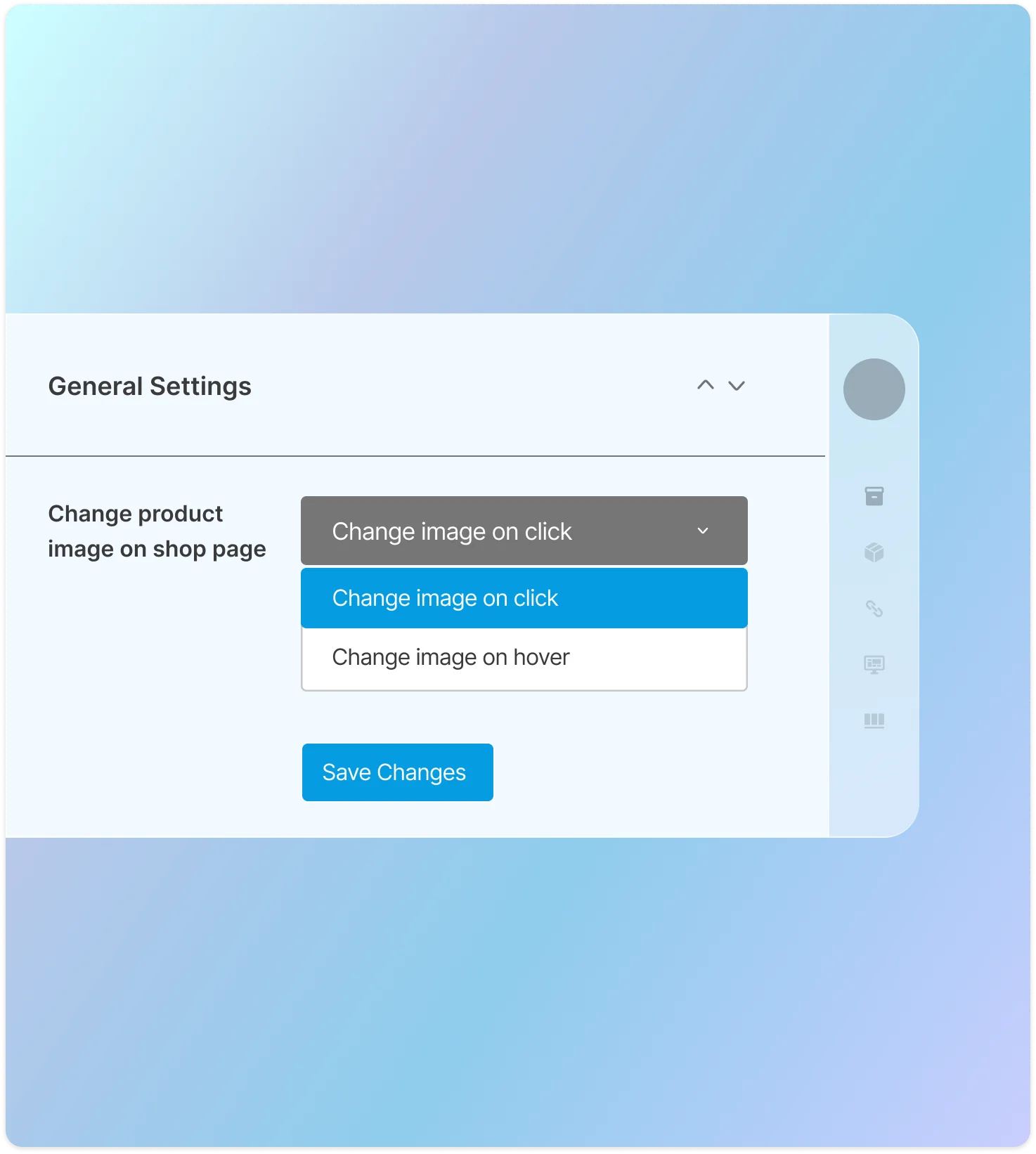
Personalize Variation Swatches Images
The WooCommerce variation swatches and photos plugin lets you customize how product variation images are displayed. You can display the images by clicking on the image swatches or hovering over them.
Review & Rating
frletavolecom
December 26, 2024Excellent
the plugins work very well and the support is very good, they respond quickly and solve any problem you have
jan021017
December 26, 2024Good addon and great support
This plugin works well - it needs a bit of fiddling to style if you want to apply your own styles but that's easy enough. Support has been excellent.
chrisstevensonclix4ucomau
December 26, 2024Works well and great support.
The Plugin does what it is supposed to and works well. I had a need for support and the support team were very quick and professional. Recommended.
Frequently Asked Questions
-
 30-day money back guarantee
-
 Dedicated Support Team
-
 Safe & Secure Free Update
-
 Safe Customized Solutions